Mobidea Affiliate Onboarding Guide: Your First Steps to Success
Last updated on January 29, 2026 6 min read
Welcome to Mobidea!
You’ve just joined one of the leading mobile affiliate networks in the industry, and we’re excited to help you start your journey toward affiliate marketing success.
This guide will walk you through the essential first steps: setting up your account, quick overview of your dashboard, understanding how to get started with Smartlinks and Single Offers, and connecting with your dedicated support team.
Once you’re comfortable with the basics, we have a comprehensive guide on how to use Mobidea that covers everything from navigating the platform to using advanced features.
Let’s get started!
Getting Started
Creating Your Account
If you haven’t already, head over to Mobidea’s signup page to create your account.
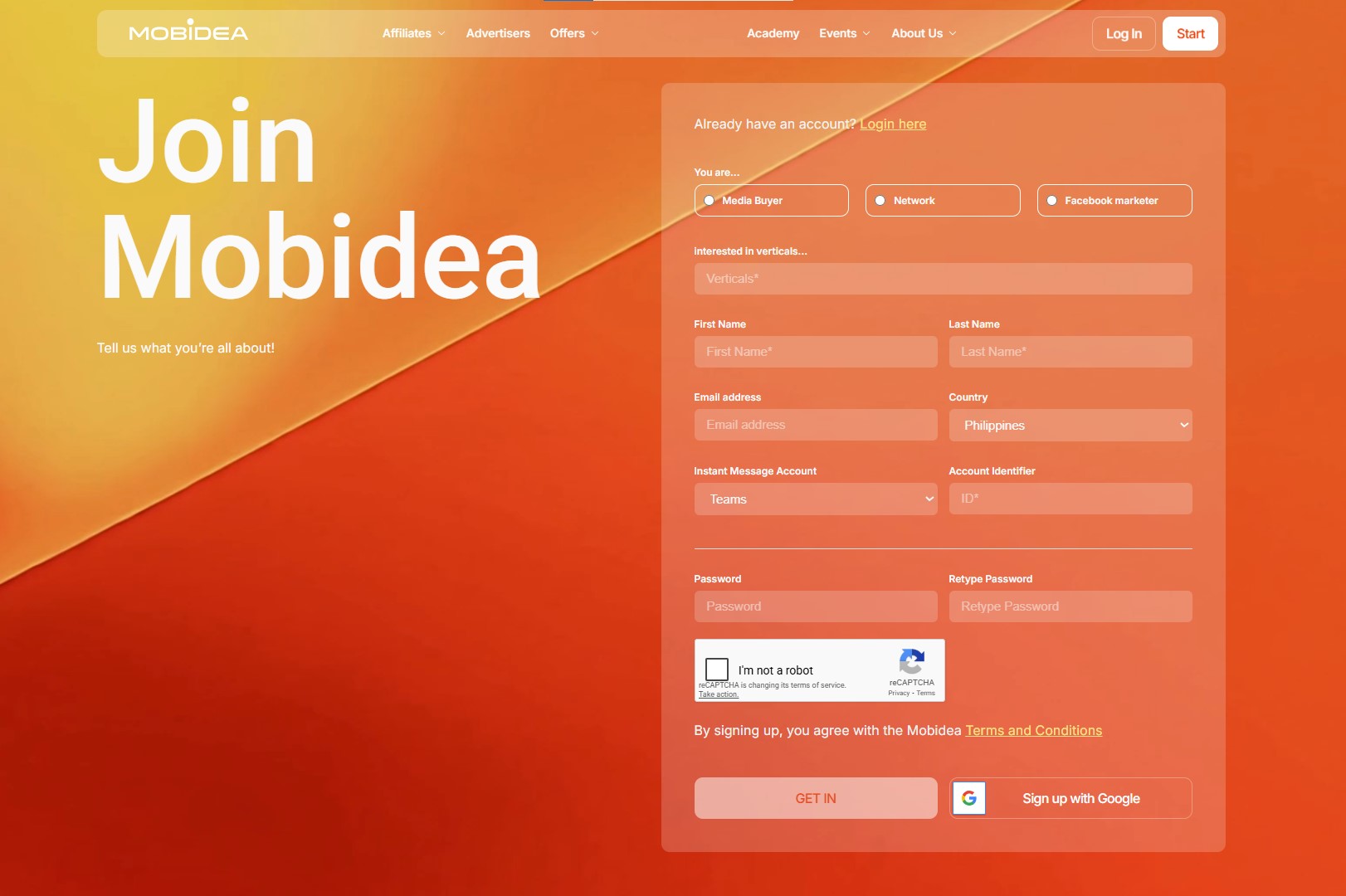
Select whether you are a media buyer, a network, or a Facebook marketer.
Then, you’ll need to provide:
- The verticals you are interested in
- Your full name
- Email address
- Country of residence
- Instant Messaging method and ID (Telegram, MS Teams, WhatsApp, WeChat)
- Password
Once you submit your registration, you’ll receive a confirmation email. Click the link to verify your email address and activate your account.
Dashboard Overview
Once logged in, you’ll see your Mobidea dashboard.
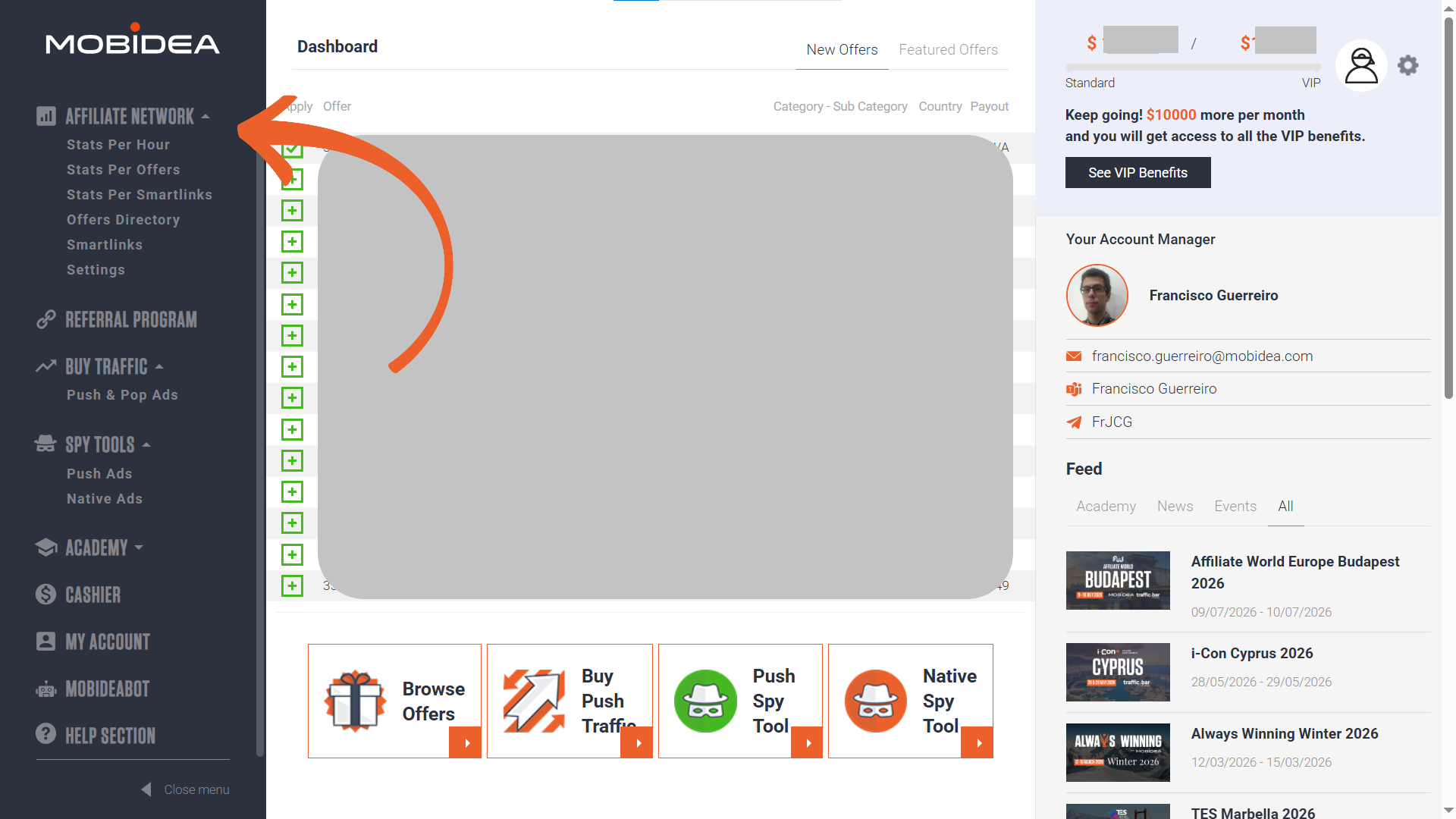
Here’s a quick overview of what you’ll have access to.
Menu Links:
- Affiliate Network – Where you’ll find Smartlinks, Offers, and Stats (Analytics). Check out our in-depth guide for navigating Mobidea Smartlinks and Singles Offers.
- Referral Program – Earn a percentage of your referral’s earnings
- Buy Traffic – Here’s where you can buy Push and Pop Ads from Mobidea.
- Spy Tools – Looking for ideas on how to promote offers? These tools can help. Fees start at $69.99 per month. Read our guide on how to use Mobidea’s Spy Tools.
- Academy – If you’re just starting out in the affiliate marketing industry, Mobidea Academy will guide you. And if you’re already a pro, the case studies, trends, and reviews will surely help you. Visit Mobidea Academy and have a look.
- Cashier – This is where you request payments (unlocked at €50+)
- My Account – This is where you’ll find details about your account and where you can complete your KYC requirements (discussed below).
- MobideaBot – If you’re always on the go and would like to be quickly notified by changes in offers and other important account info, MobideaBot is your friend (also discussed below).
- Help Section – FAQ and knowledgebase.
Working with Smartlinks
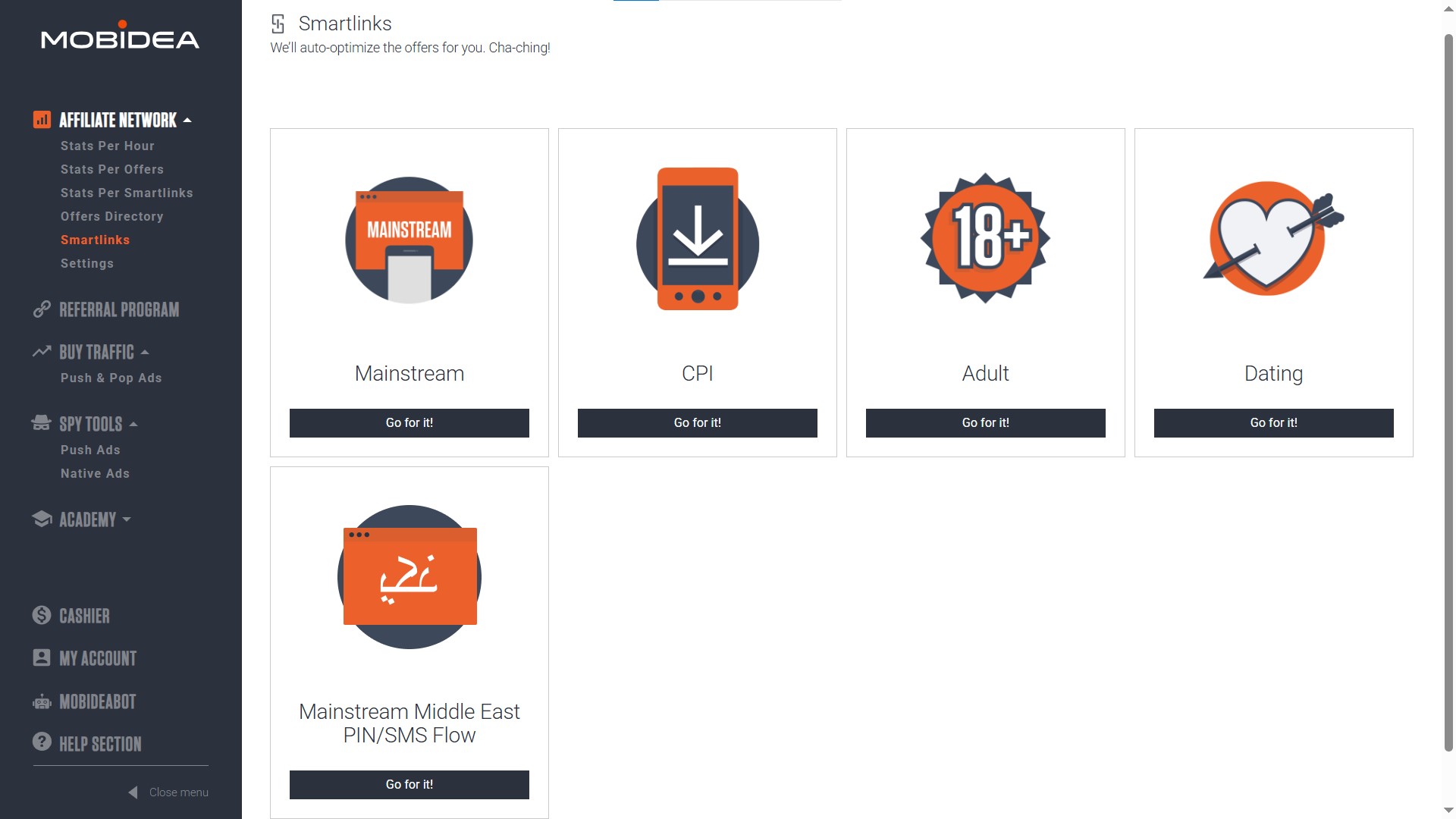
Smartlinks are the fastest way to start earning with Mobidea. They’re intelligent routing links that automatically direct your traffic to the best-performing offers based on the visitor’s location, device, carrier, and other factors.
This means you don’t have to worry about choosing the “right” offer—the system optimizes conversions for you.
Benefits of using Smartlinks:
- No offer selection needed—just grab a link and start
- Automatic optimization based on real-time performance
- Built-in fallback offers so traffic never goes to waste
- Perfect for testing new traffic sources
- Great for beginners learning the platform
Ready to start promoting our Smartlinks? Check out our step-by-step guide on getting your first Smartlink.
Working with Single Offers
Single offers are individual CPA (cost-per-action) offers that you can promote directly. Unlike Smartlinks that rotate multiple offers automatically, single offers give you full control over exactly what you’re promoting.
Single offers are ideal when you:
- Want to target a specific vertical or geo
- Have traffic that performs well with certain offer types
- Need custom landing pages or creatives
- Want to scale a proven campaign
How to Apply for Single Offers
To promote a single offer, you’ll need to request approval first. Here’s how it works:
- Browse the Offers Directory under Affiliate Network in your dashboard
- Click on any offer to view its details (payout, countries, restrictions, etc.)
- Click the “Apply Now” button
- Fill out the application form—this is required the first time you apply for any offer
- Wait for approval from your affiliate manager
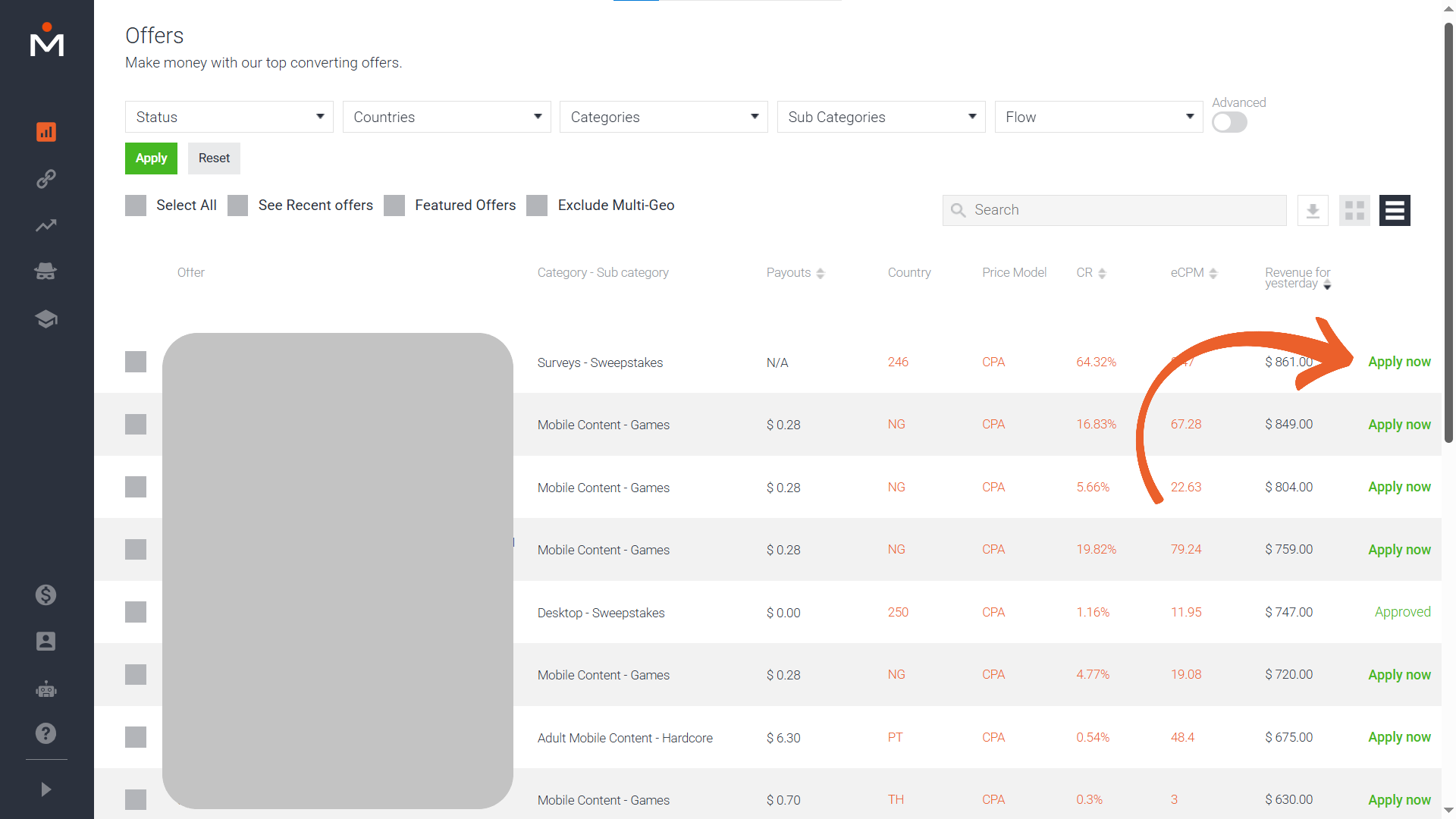
The application form helps your affiliate manager understand your traffic sources and promotional methods so they can approve offers that match your audience.
Once approved, you can get your unique tracking link and can start promoting immediately.
For a complete walkthrough on finding, applying for, and optimizing single offers, read our in-depth guide on How to Use Mobidea.
Getting Paid
Understanding the Verification Process (KYC)
Mobidea takes compliance and security seriously. To protect both you and the network, you’ll need to complete a Know Your Customer (KYC) verification process before you can withdraw funds.
Head over to the My Account page to complete this.
Why documents are needed:
- To comply with international financial regulations
- To prevent fraud and protect your account
- To ensure timely and secure payments
What Documents To Prepare
You’ll need to provide:
- Government-issued ID (passport, driver’s license, or national ID card)
- Proof of address (utility bill, bank statement, or official government document dated within the last 3 months)
Documents must be:
- Clear and legible (no blurry photos)
- Show all four corners
- Be valid (not expired)
- Match the information on your account
When To Submit Documents
The Cashier section will be locked until you reach €50 in earnings. Once you hit this threshold, you’ll be prompted to submit your verification documents before you can request your first payment.
Support
Your Dedicated Affiliate Manager
One of Mobidea’s biggest advantages is personalized support. Every affiliate is assigned a dedicated affiliate manager whose job is to help you succeed.
You’ll find your affiliate manager’s info on the right side of your main dashboard (shown upon logging in):
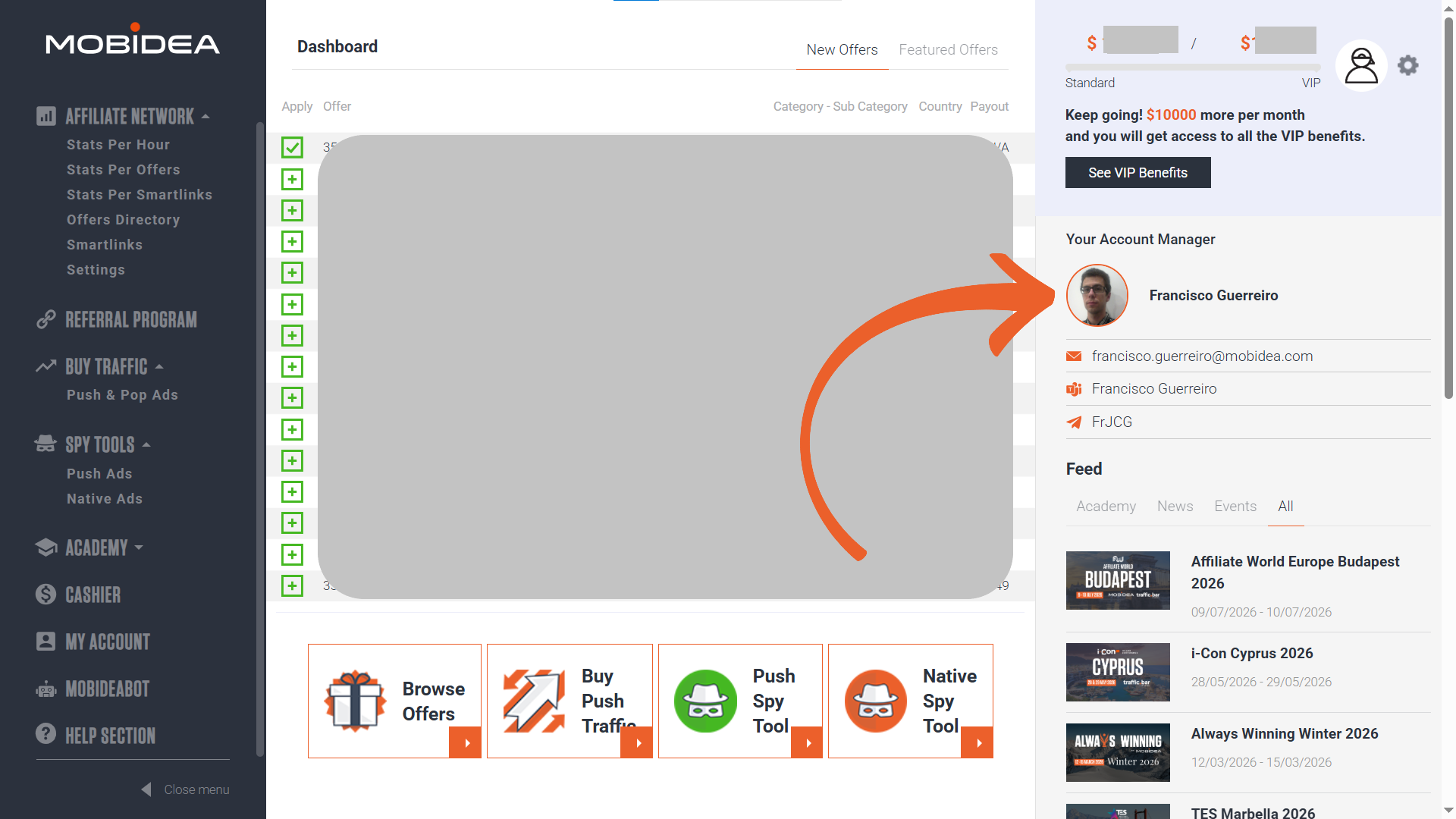
Your affiliate manager can help you:
- Choose the best offers for your traffic
- Optimize your campaigns for better performance
- Navigate technical issues or account questions
- Unlock special deals or exclusive offers
- Provide industry insights and recommendations
When to reach out:
- You’re experiencing technical issues
- You have questions about specific offers or verticals
- You want advice on scaling your campaigns
- You need help understanding your statistics
Don’t hesitate to contact your affiliate manager—they’re here to help you grow!
How to Get Support
Mobidea offers multiple channels to reach support:
Email: For general inquiries or non-urgent matters, email the support team. You’ll receive a response within 24 hours on business days.
Telegram: For faster communication, many affiliate managers use Telegram. Once you’re onboarded, your manager will share their Telegram handle for quick questions and updates.
Here are some account managers you can quickly reach out to via Telegram:
Microsoft Teams: Mobidea uses Microsoft Teams (formerly Skype) for screen-sharing sessions, detailed troubleshooting, and campaign reviews. Your affiliate manager can schedule calls when needed.
Response Times:
- Email: Within 24 hours (business days)
- Telegram: Usually within a few hours during business hours
- Teams calls: By appointment
Accessing the Help Section and FAQs
For platform usage questions and other concerns, you can check the Help Section (found at the bottom of the main menu).
We also have a comprehensive FAQ page which is updated regularly to include the most common inquiries we receive.
Using MobideaBot for Telegram
Want to manage your account on the go? Mobidea offers MobideaBot, a Telegram bot that lets you:
- Check your account balance
- View paused offers
- Discover new offers
- Apply for offers directly through Telegram
- Receive notifications about your account
To get started with MobideaBot:
- Open Telegram and search for @MobideaBot
- Click Start and follow the setup instructions
- Link your Telegram username to your Mobidea account
For a complete walkthrough of MobideaBot’s features, check out the MobideaBot Quick Start Guide.
You’re Ready to Start!
Congratulations! You now have everything you need to begin your journey with Mobidea:
✅ Your account is set up and verified
✅ You know the different aspects of your dashboard
✅ You know how to work with Smartlinks
✅ You understand how to reach the support team and use MobideaBot
Remember, Mobidea is here to support you every step of the way. Your success is our success, and we’re committed to helping you maximize your earning potential.
For in-depth tutorials, advanced strategies, and detailed platform walkthroughs, explore our Essential Guide on How to Use Mobidea.
Ready to get started? Log in to your Mobidea account and grab your first Smartlink today!


The ultimate guide for Mobidea users? Find everything you need to know about your favorite affiliate network by checking this Mobidea guide!

AdvertisementTime for you to find out everything about Mobidea’s awesome new Tracker Capabilities and use analytical data to the max!…

New to Mobidea? Here's a definitive guide that covers everything you need to know about how to use and maximize our platform.