
You wake up to find your best-performing Facebook ad account banned.
No warning, no explanation—just gone, along with your campaign data and spending budget.
Your backup account? Flagged too.
Turns out the platform linked them together through your browser fingerprint, and now you’re scrambling to save what’s left of your campaigns.
Antidetect browsers exist to solve exactly this problem.
They create isolated browser profiles with unique fingerprints, making each account look like it’s running from a completely different computer
When choosing among all the options in the market, you’d likely have come across Linken Sphereؙ. And that’s why you’re here.
This Linken Sphere review breaks down whether the platform is worth your time and money, based on real testing and comparison with other anti-detect browsers.
We’ll cover what works, what doesn’t, and who should actually use it.
Key Takeaways
Linken Sphere Review Key Takeaways | ||
Hybrid Fingerprinting Advanced fingerprint technology that creates realistic variations based on your actual hardware, passing detection systems better than random value generation. | ||
Complete Profile Isolation Each browser session runs independently with its own cookies, fingerprint, and settings—zero data leakage between profiles. | ||
Web Automation Support Integrates with Puppeteer, Selenium, and Playwright via Local API for programmatic profile management and bulk operations. Requires coding knowledge. Available on Pro plans and above. | ||
Flexible Pricing Plans range from free (5 sessions) to Premium (1,000 sessions). Annual subscriptions save 30%. | ||
Bulk Operations Create hundreds of profiles using templates, import cookies in bulk, and manage multiple sessions simultaneously—essential for agencies and large-scale operations. | ||
Team Collaboration Pro and Premium plans support team members with granular permissions, profile sharing without password exposure, and organized workspace management. | ||
Mobile Browser Emulation Simulates mobile browsers (Android/iOS) from desktop, though limited to browser emulation rather than device emulation. | ||
Platform Limitations Windows and macOS only. Cryptocurrency payments exclusively. Learning curve requires understanding antidetect concepts. | ||
Proxy Integration Supports SOCKS5, HTTP/HTTPS, SSH, and Tor. Includes free proxies on Light+ plans, or purchase through Sphere Proxy and partner services. | ||
These highlights not enough? Then let’s dive deep!
What is Linken Sphere?
Linken Sphere is an antidetect browser that lets you manage multiple accounts from one computer without platforms linking them together.
Each Linken Sphere browser profile runs independently with its own cookies, fingerprint, and settings—making it look like you’re using completely different devices.
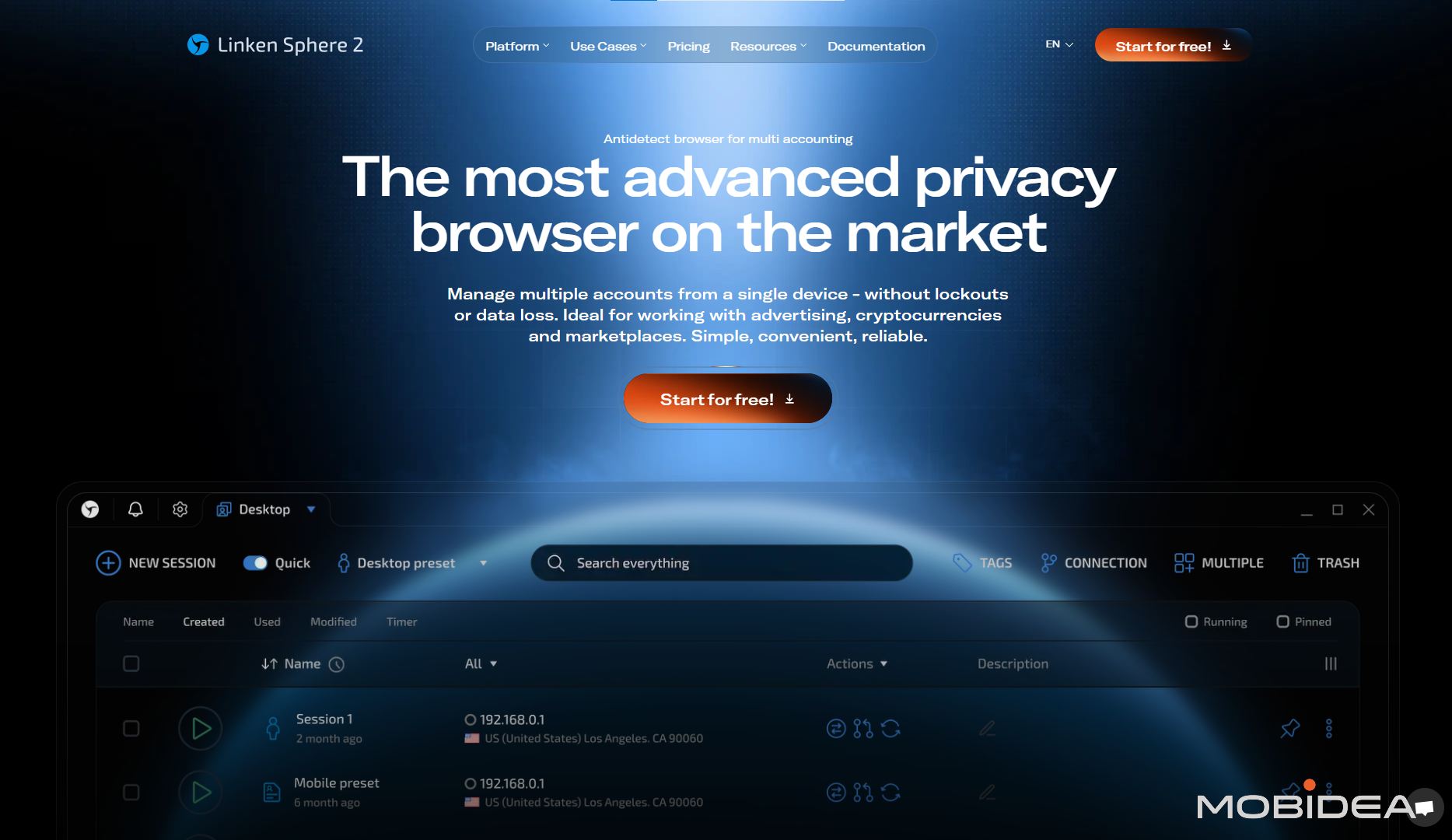
Released in 2017, it quickly became popular in affiliate marketing and multi-accounting circles.
The platform runs on a modified Chromium engine, which means you get all the standard Chrome features (extensions, bookmarks, developer tools) while maintaining complete isolation between profiles.
Based in London, UK, Linken Sphere operates under Legendary Software LTD.
It works on Windows and macOS, with no mobile or Linux versions available.
You can store everything locally or sync through their cloud system for team collaboration.
Who Uses Linken Sphere Browser?
The platform targets professionals who need serious multi-account capabilities:
✓ Affiliate marketers running campaigns across Facebook Ads, Google Ads, and native ad networks without account linking.
✓ Media buyers managing multiple client advertising accounts with separate fingerprints and proxies.
✓ E-commerce sellers operating several Amazon, eBay, or Etsy stores while keeping each business completely separate.
✓ Social media managers handling dozens of client accounts that platforms would normally flag.
✓ Traffic arbitrage specialists testing landing pages and campaigns without cross-contamination.
✓ Crypto traders participating in airdrops or managing multiple exchange accounts.
✓ Agencies needing team access to browser profiles while maintaining security between clients.
Linken Sphere Key Features
Linken Sphere packs some serious tech under the hood.
Once you get past the initial setup, these features actually deliver where it matters most—keeping your accounts separated and undetected.
Hybrid Fingerprint Technology
This is Linken Sphere’s main strength. Instead of just throwing random values at browser fingerprints, it analyzes your actual hardware and creates realistic variations.
For example, if you have an NVIDIA RTX 3060 GPU, it might generate profiles with similar NVIDIA models instead of switching to completely different AMD cards.
This consistency makes fingerprints look more natural to anti-fraud systems.
You can customize Canvas, WebGL, audio context, screen resolution, fonts, timezone, geolocation, and more.
Or just use their preset configuration pools if manual setup feels overwhelming.
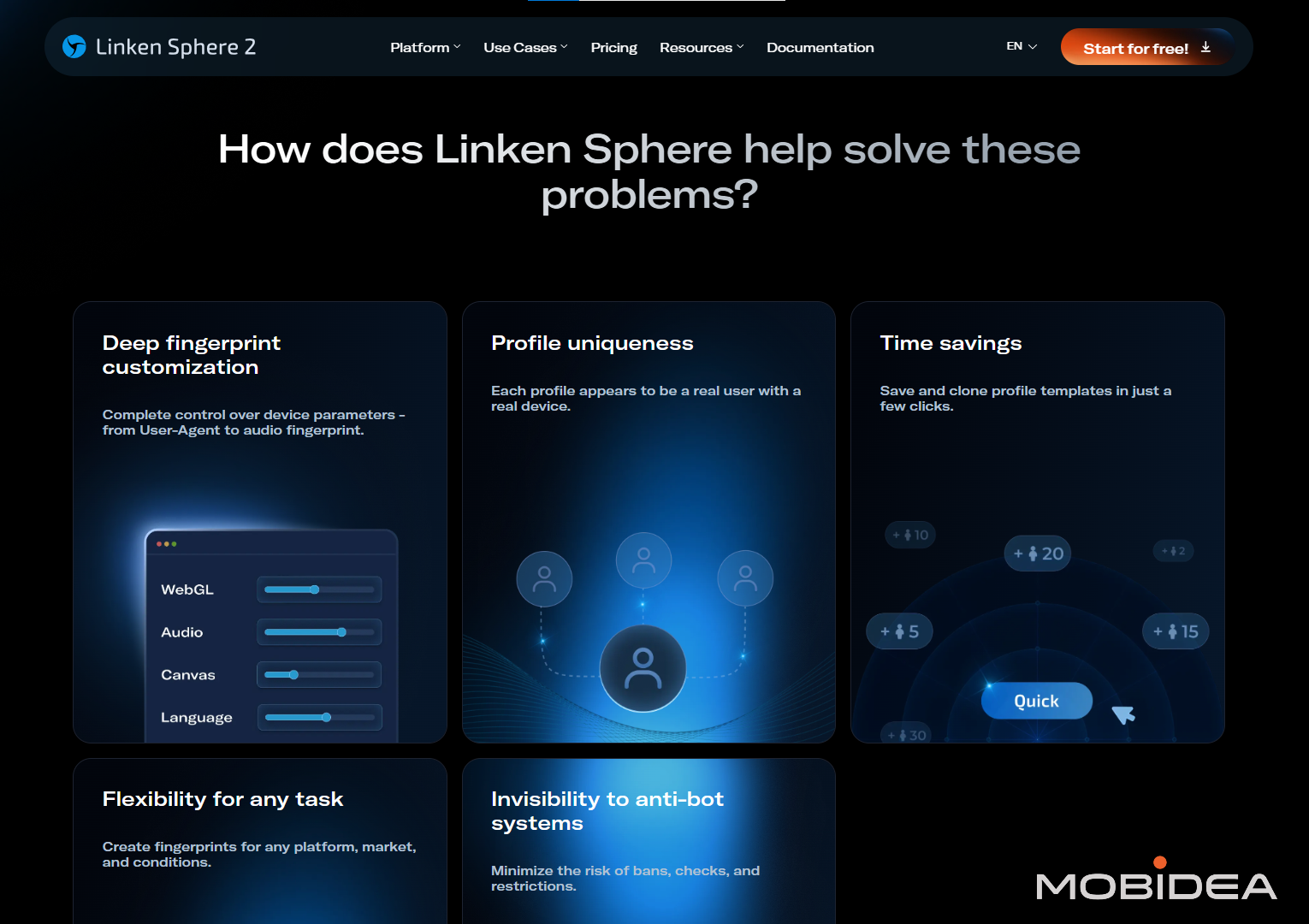
Complete Profile Isolation
Each browser session is completely separate:
- Own cookies, cache, and browsing history
- Unique fingerprint parameters
- Independent proxy connections
- Separate extensions and settings
If one account gets banned, others stay unaffected.
This containment is crucial when you’re managing dozens or hundreds of accounts.
Proxy Management
Linken Sphere supports SOCKS5, HTTP/HTTPS, SSH tunnels, and Tor.
You can assign different proxies to each profile and import proxy lists in bulk.
You can also buy from Sphere Proxy, Linken Sphere’s integrated proxy service.
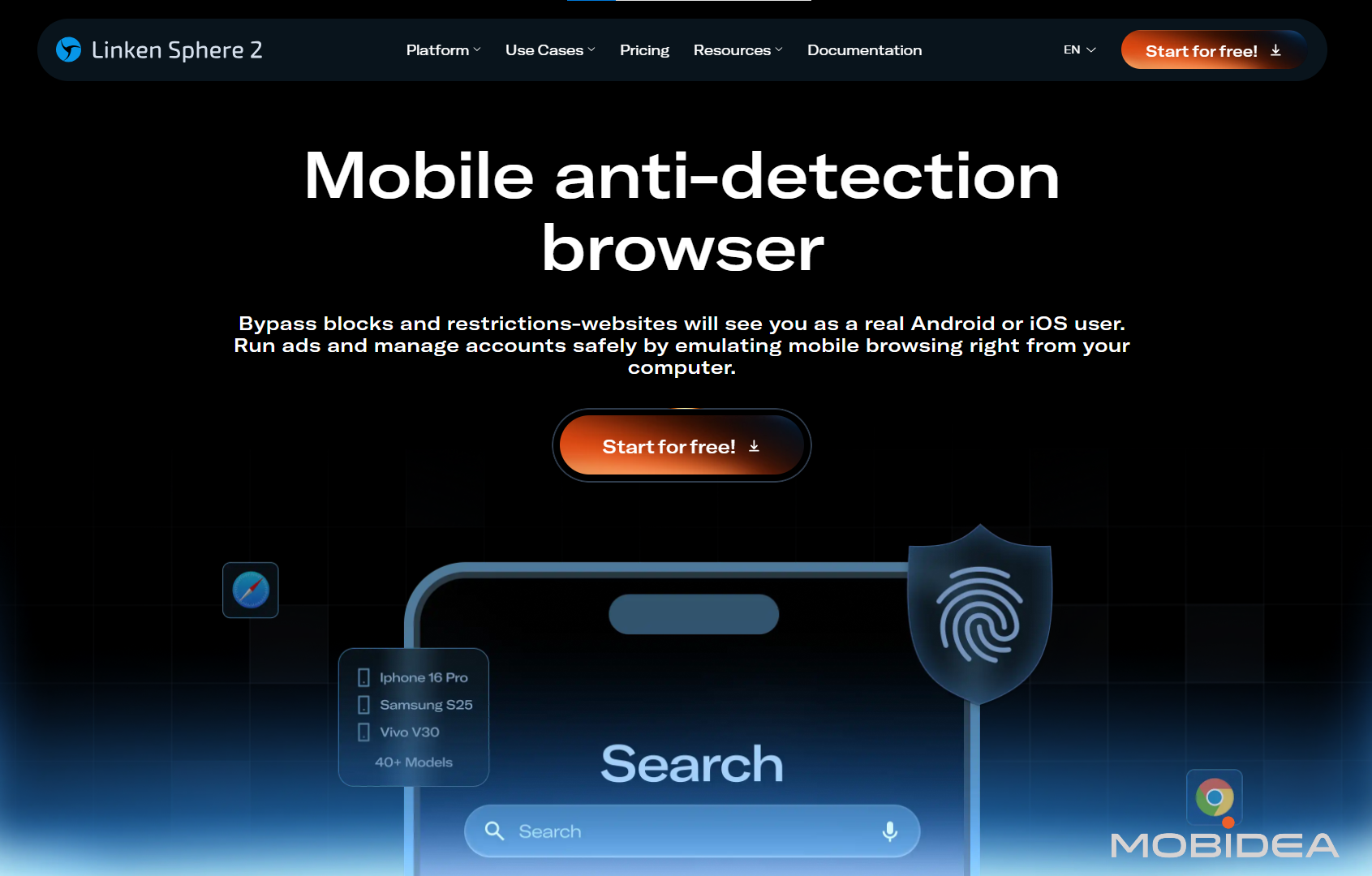
Mobile Browser Emulation
The platform can simulate the browsers of smartphones and tablets from your desktop.
It adjusts screen size, user agent, touch events, and device orientation to mimic real mobile browsing.
Useful for testing mobile campaigns or managing accounts on mobile-focused platforms, but keep in mind—it’s still desktop emulation, not actual mobile devices.
And it emulates the browser only.
Web Automation via Local API
Linken Sphere doesn’t include built-in automation tools. Instead, it provides API access that lets you connect external automation libraries.
The platform opens DevTools Protocol connections on port 40080. This allows integration with Puppeteer, Selenium, Playwright, and other automation frameworks that support Chrome DevTools Protocol.
You can automate profile creation, launch sessions programmatically, update cookies in bulk, manage proxy assignments, and run custom scripts across multiple browser instances.
This works through API requests—no visual interface, no drag-and-drop builder. You write code that tells Linken Sphere what to do.
Common use cases include batch account operations, automated data collection, campaign management at scale, and custom workflows that manual clicking can’t handle efficiently.
The Local API feature is available starting from the Pro plan ($160/month).
Note: This is not for beginners.
This requires solid understanding of programming (JavaScript, Python, or similar) and experience with automation frameworks.
If you’ve never used Selenium or Puppeteer before, expect a steep learning curve before you can build functional automation.
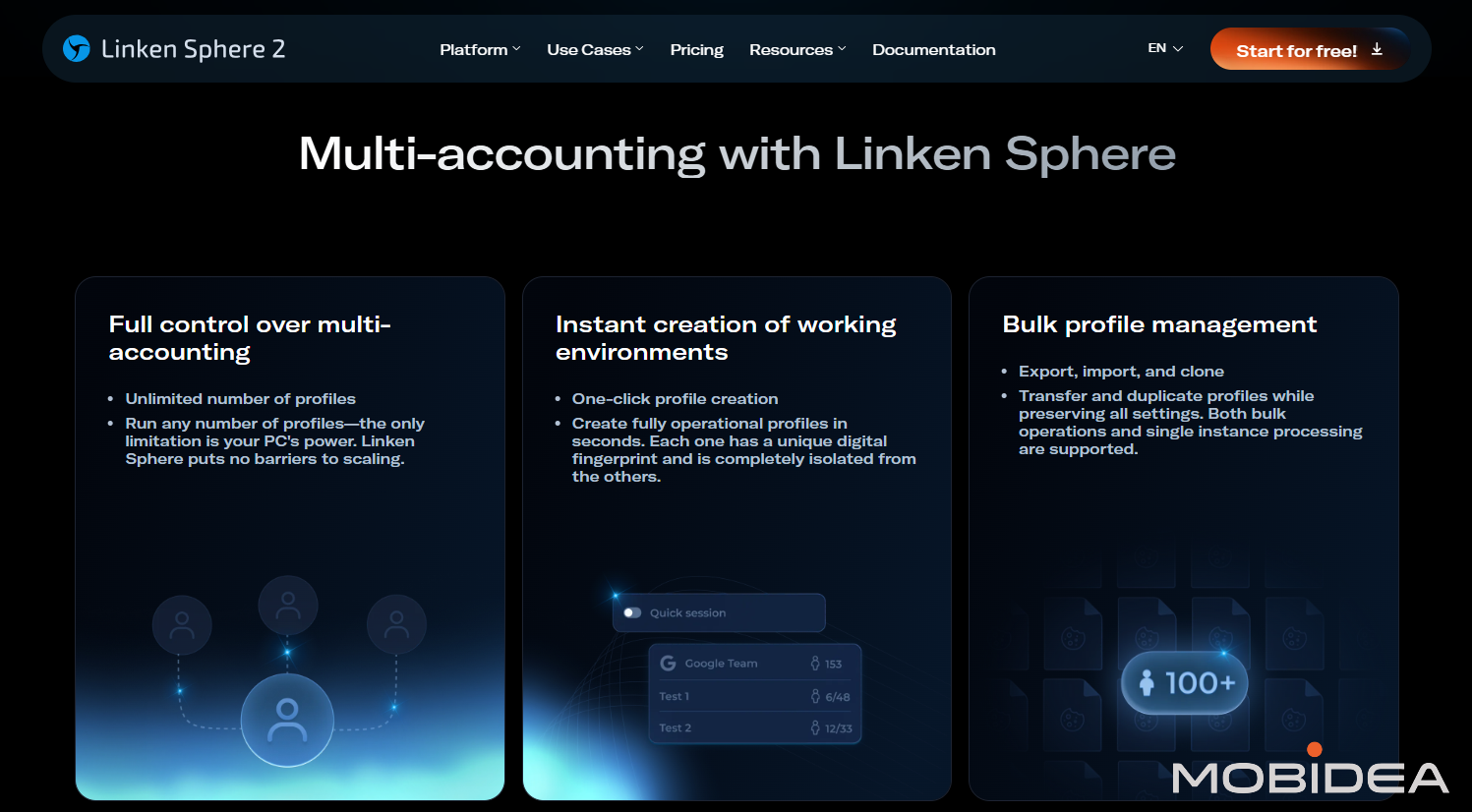
Anti-Detect Browser Bulk Operations
When managing dozens or hundreds of accounts, manual setup becomes impossible. Linken Sphere handles this through:
- Mass profile creation using templates
- Bulk cookie imports
- Proxy list uploads with automatic assignment
- Configuration export/import for backups
You can create 100+ profiles in one shot, each with unique fingerprints but shared settings where needed.
This capability is crucial for agencies or large-scale operations.
Team Features
Higher-tier plans include collaboration tools:
- Share profiles without revealing passwords
- Control who can access specific accounts
- Organize profiles into desktop workspaces
- Set permissions for team members
The Pro plan allows 10 team members, while Premium gives unlimited access.
Teams work best with cloud sync enabled, though that means trusting Linken Sphere’s infrastructure with your data.
Linken Sphere Pricing Plans
Linken Sphere has several subscription plans for you to choose from.
It charges based on how many browser profiles (sessions) you can store simultaneously.
You can create and delete unlimited profiles—the plans just limit how many you keep active at once.
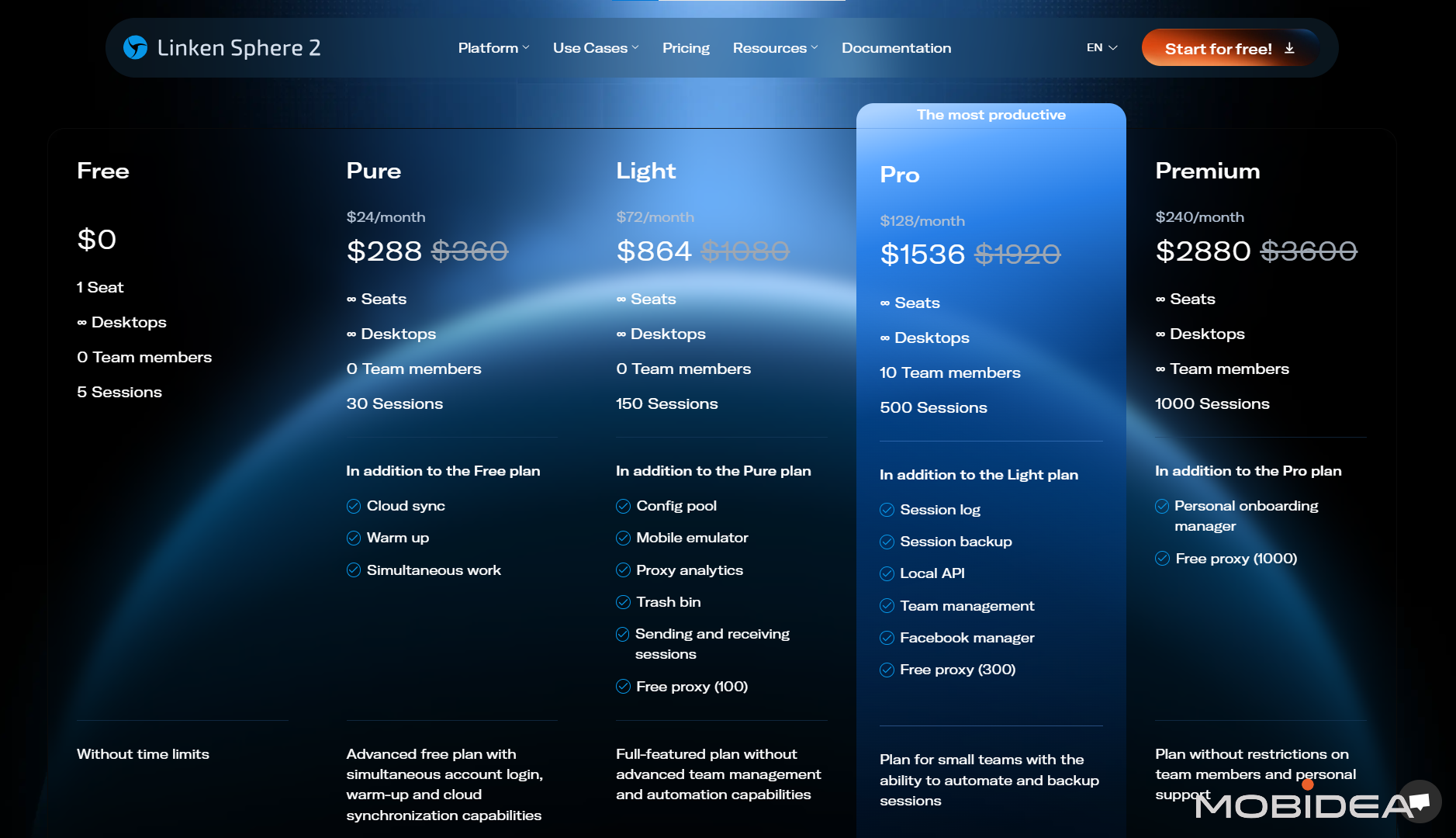
Free Plan
- 1 seat
- 5 sessions
- Unlimited desktops
- Full fingerprint features
- No team members
- No time limits
Good for testing the platform. Can be useful for small-scale affiliates that need no more than 5 profiles.
Does not allow you to delete sessions, so once you’ve used up all 5 sessions, you’d have to move to a paid plan.
Pure Plan
$30/Month or $24/Month when paid annually
- Unlimited seats
- 30 sessions
- All core features
- Cloud sync and warm-up
- Simultaneous work capability
- No team collaboration
Works for individual marketers managing 10-15 accounts across a few platforms.
Light Plan
$90/Month or $72/Month when paid annually
- 150 sessions
- Everything from Pure
- Config pool access
- Mobile emulator
- Proxy analytics
- 100 free proxies included
- Trash bin and session transfers
Suits medium operations—agencies with 5-8 clients, or power users/affiliates running 20-30 ad accounts comfortably.
Pro Plan
$160/Month or $128/Month when paid annually
- 500 sessions
- Everything from Light
- Up to 10 team members
- Session data logging and backup
- Local API for automation
- Facebook manager
- 300 free proxies included
The sweet spot for serious operations.
Agencies managing 10-20 clients, large affiliate campaigns with 50+ accounts, or e-commerce sellers with 100+ stores.
Cost per session drops significantly here—just $0.32/month per profile.
Premium Plan
$300/Month or $240/Month when paid annually
- 1,000 sessions
- Everything from Pro
- Unlimited team members
- Personal onboarding manager
- 1,000 free proxies included
For enterprise operations or major agencies. If you’re running hundreds of accounts across multiple clients, this tier makes sense.
As you may notice, volume discounts are applied:
- 3 months: 10% off
- 6 months: 20% off
- Annual: 30% off
The annual discount gives you essentially 2 months free.
Want an even bigger discount? Use the coupon code MOBIDEA20 to get a 20% additional discount upon subscribing.
How to Use Linken Sphere
Let’s deep dive into how you can use this anti-detect browser. Even if it’s your first time, I’ll guide you through so you’ll have a grip at using it once you decide to subscribe.
First, visit Linken Sphere, click on “Start for Free” button and download the correct button for your system.
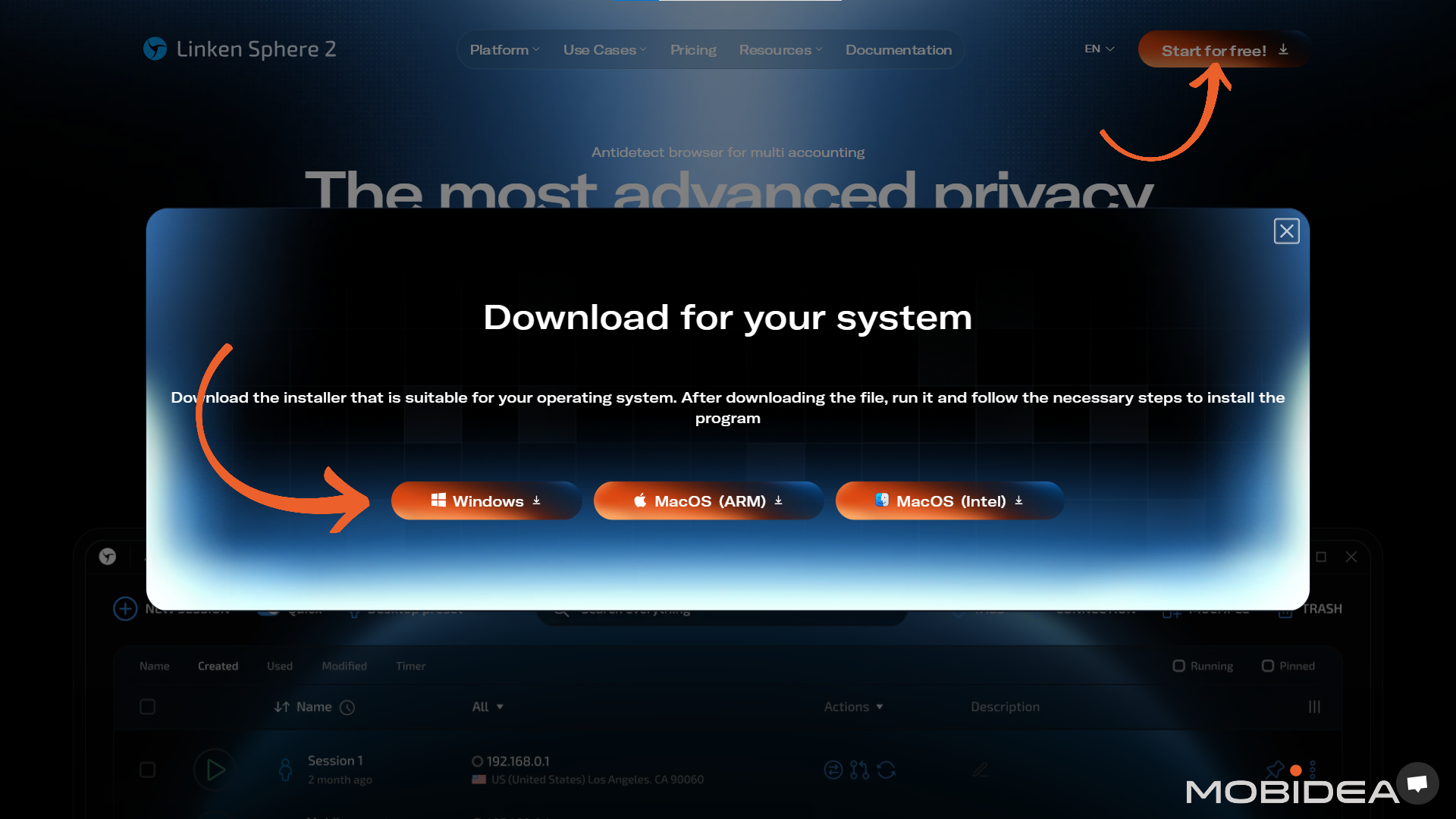
As you may notice, it’s only available for Windows and Mac systems only.
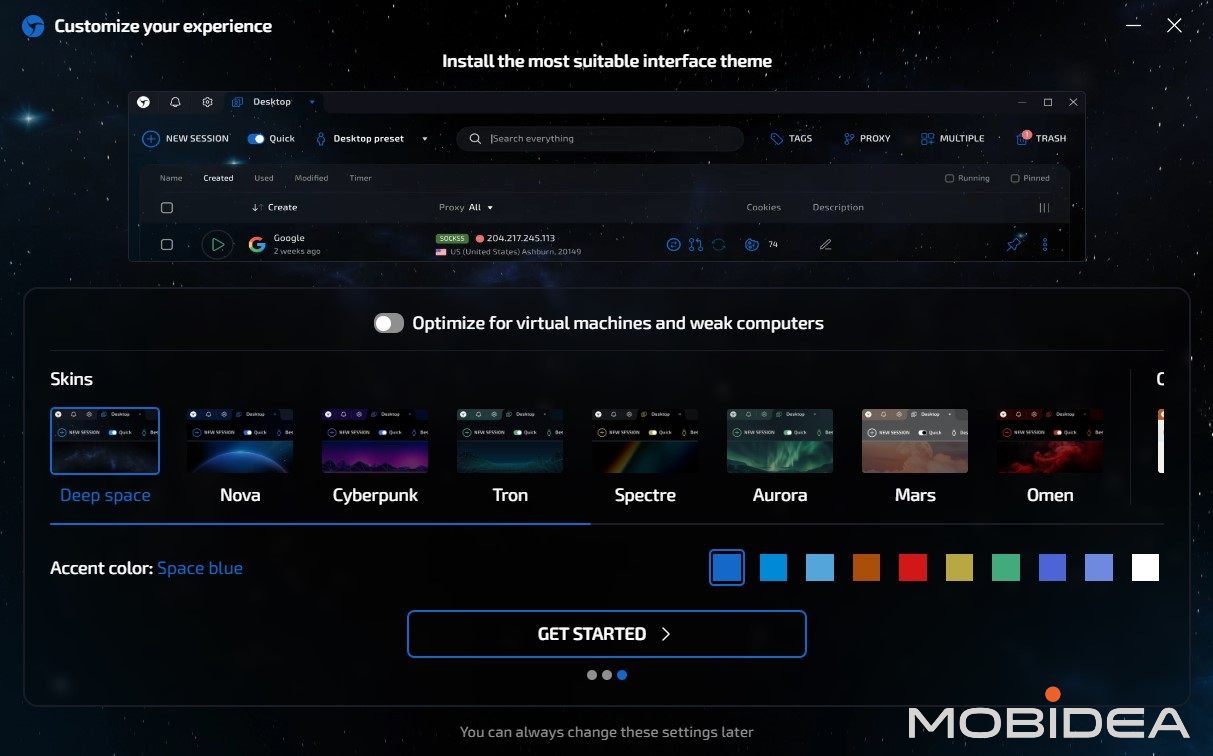
After installing the program and opening it for the first time, you’ll be asked how you want Linken Sphere’s interface to look when you’re using it.
Don’t worry, you can always change this later on.
Create your account. You don’t have to get a paid plan immediately since you can try it out with a free trial first.
Still, if you’d like to get a paid plan immediately, don’t forget to add the coupon code MOBIDEA20 to get a 20% discount.
Before we create a session, let us first talk about the proxies.
Adding Proxies
You can’t fully anonymize your sessions if you don’t use proxies, or else the platforms you are trying to “hide” from will easily catch you.
I’m currently using a Light Plan, which includes 100 free proxies already, which is enough for my needs.
If that’s not enough for you, or if you are on a lower plan that doesn’t include free proxies, you can buy directly from Linken Sphere (through Sphere Proxy).
Here’s how to do that:
- Click on the Sphere icon on the upper left corner of the browser window
- Click Buy Proxy at the very bottom
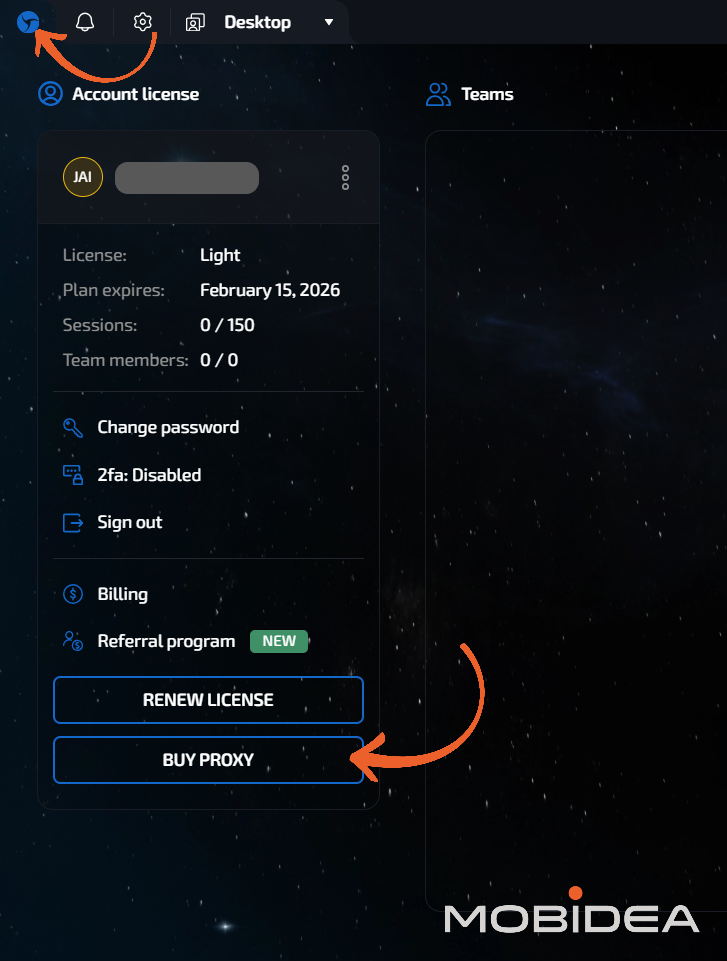
Choose from your preferred monthly plan. The plans are based on traffic volume.
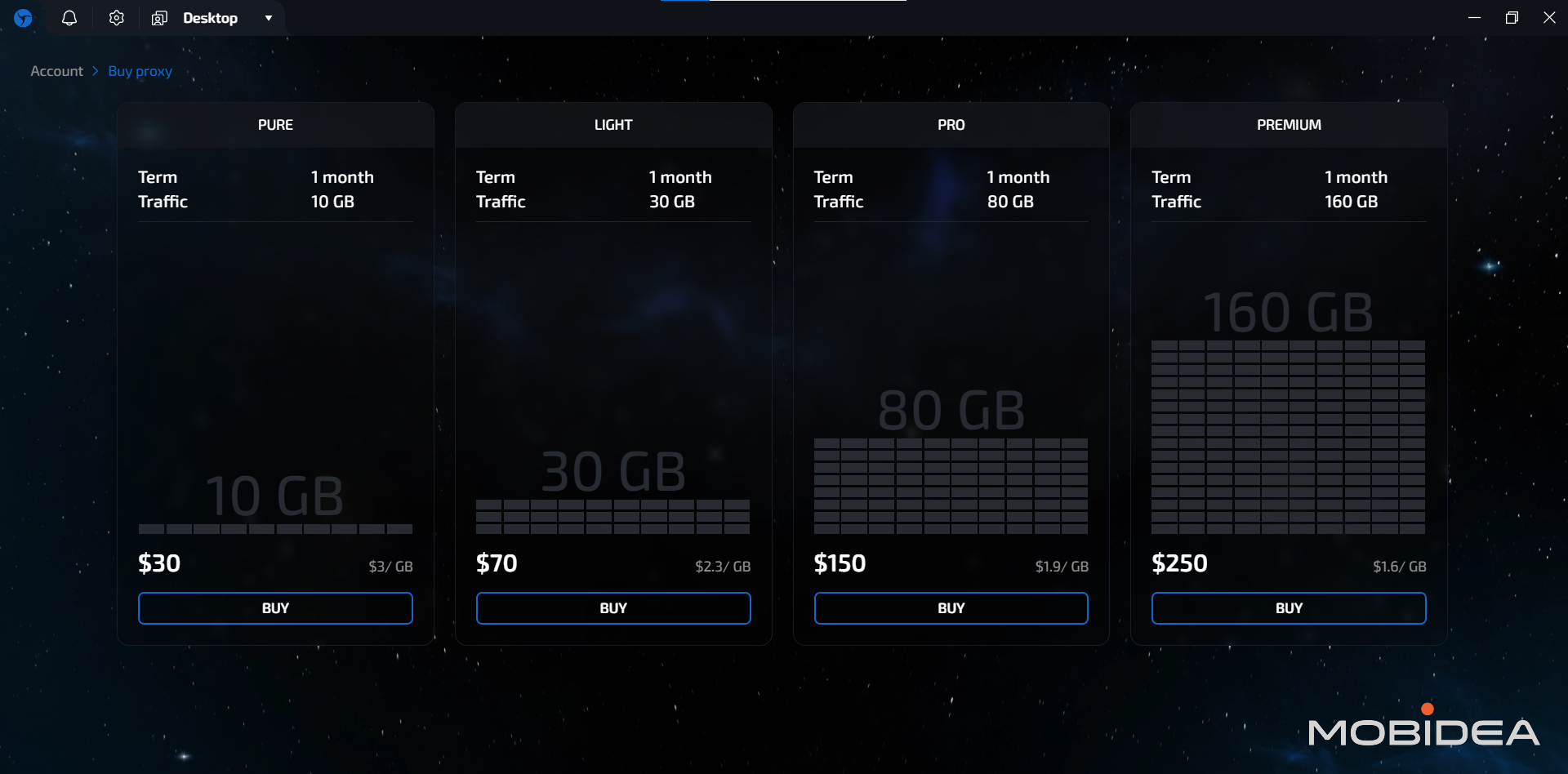
Once you’ve chosen a suitable plan for you, click on Buy. A warning will show up, indicating that no refunds will be provided for proxy purchases.
You’ll be taken to the payment options once you agree.
Available payment options include cryptocurrencies and credit cards.
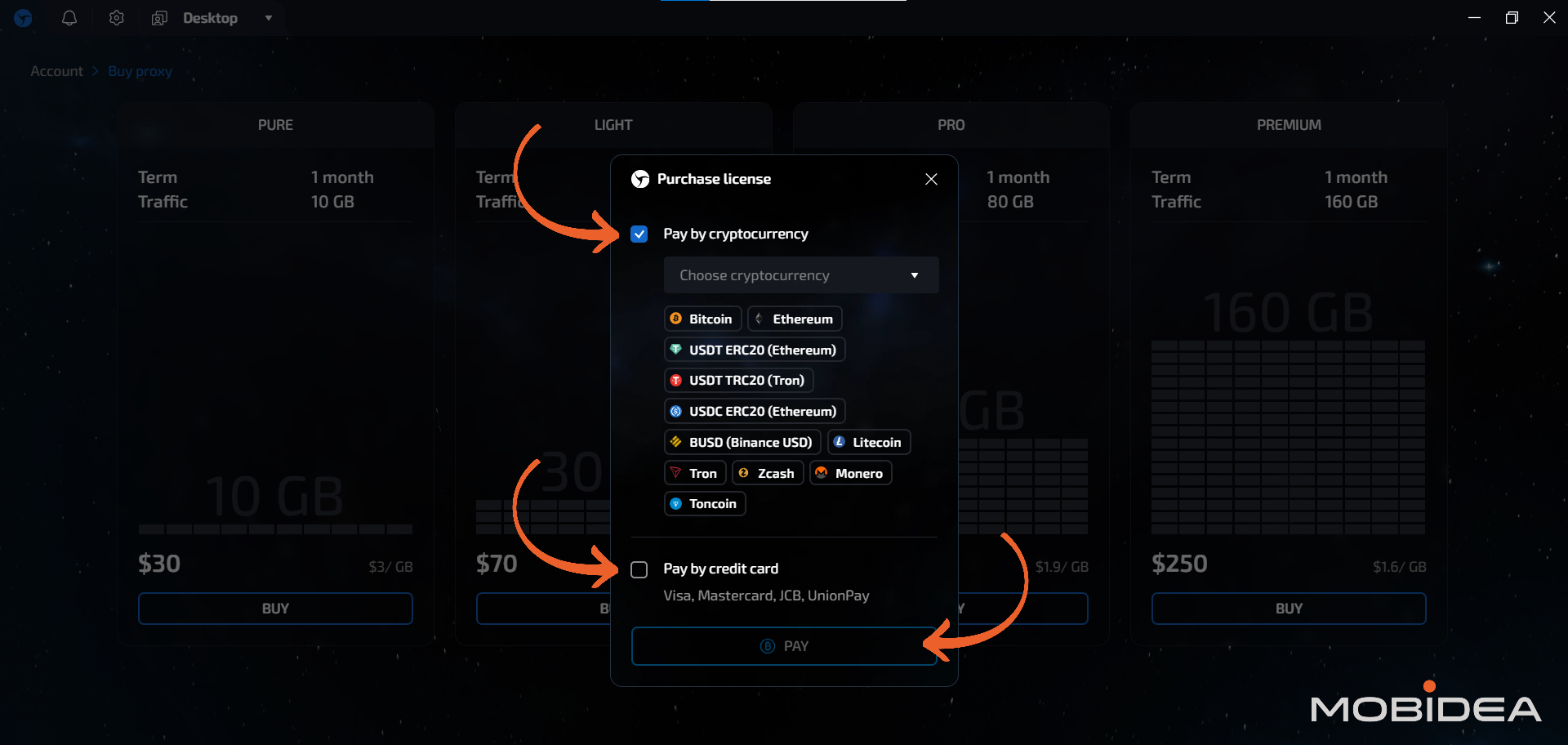
Once you’re payment is processed, you’re good to go.
If you plan on using a different proxy service, head back to the main dashboard and look for the Proxy menu button at the upper left portion of the screen.
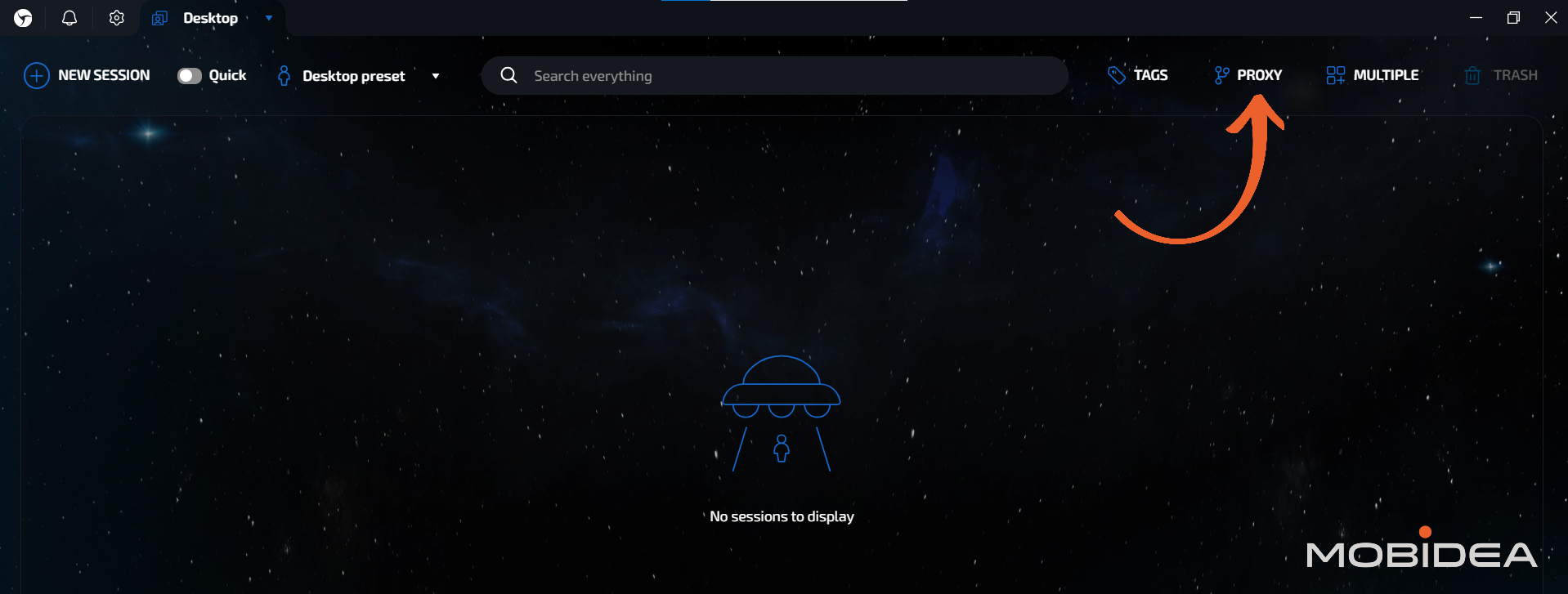
You can manually add proxies one at a time, but you can also import them in bulk.
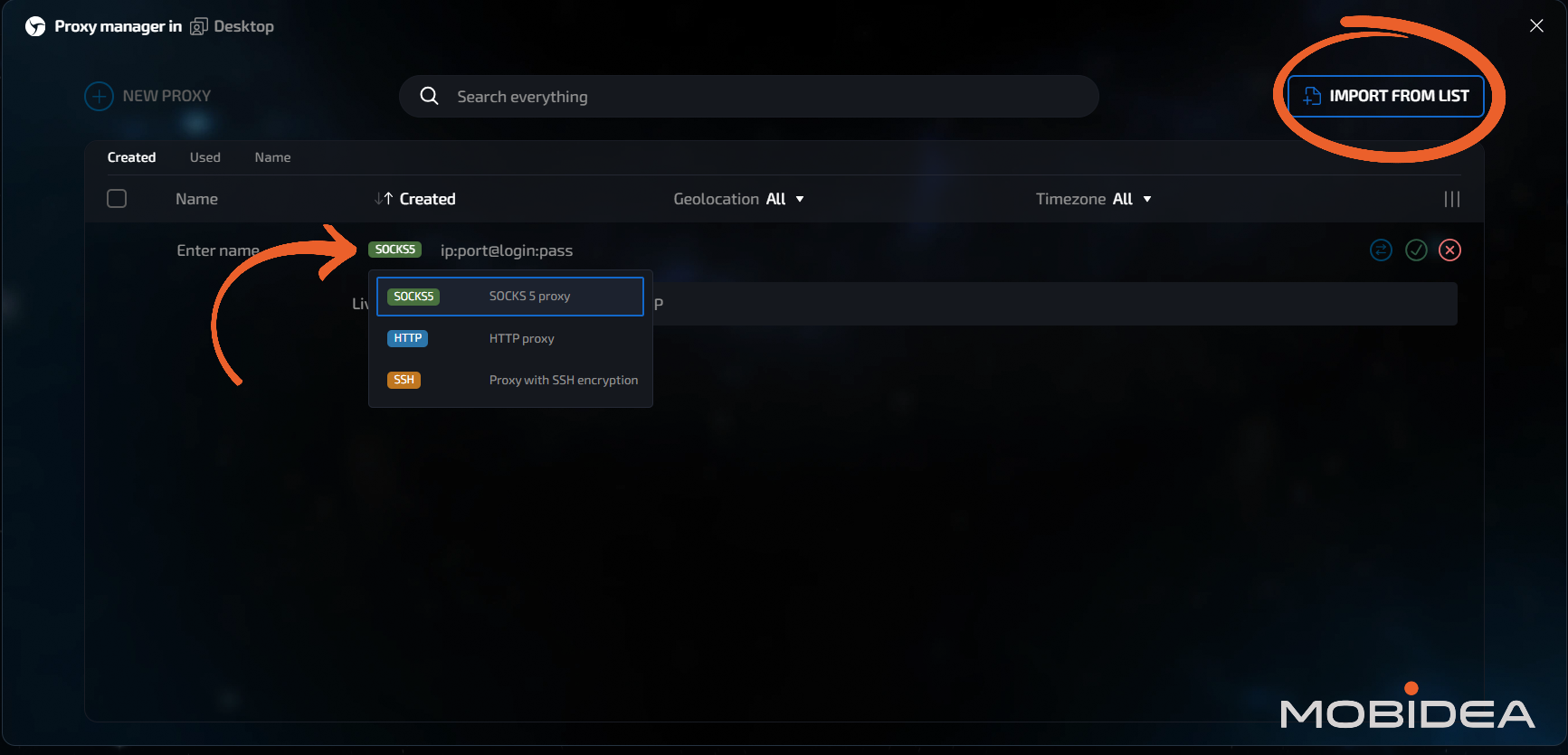
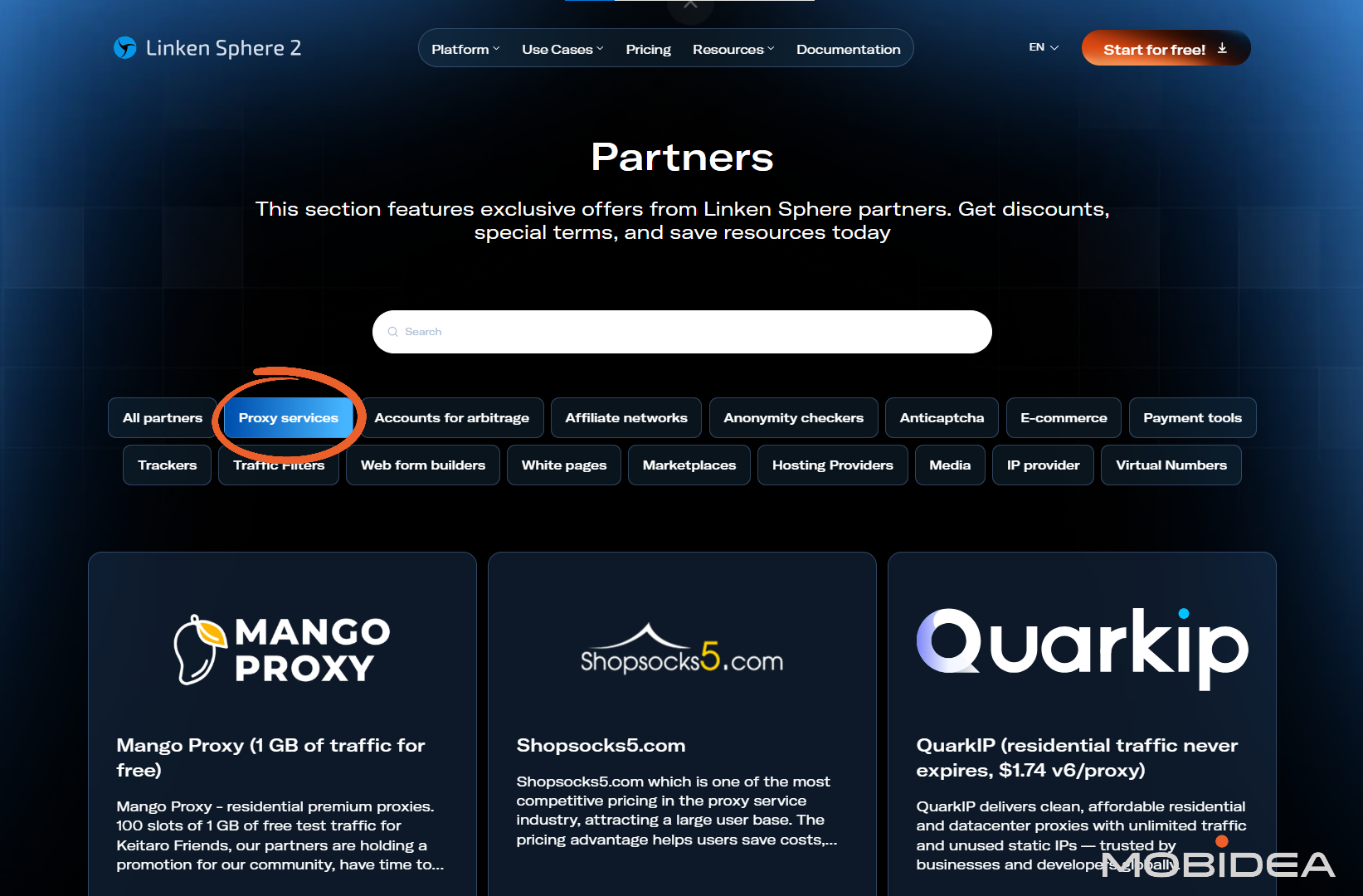
Note: You can find a list of proxy services they work best with in their Partners page.
Creating Your First Profile/Session
Click “New Session” and make sure “Quick” mode is turned off. Quick mode is great for beginners, but you won’t be able to change some of the settings.
For this guide, we’ll turn Quick mode off so you’ll see all settings available for Linken Sphere browser.
Right next to the Quick toggle is the Preset. Could be Desktop Preset or Mobile Preset, or you can create your own.
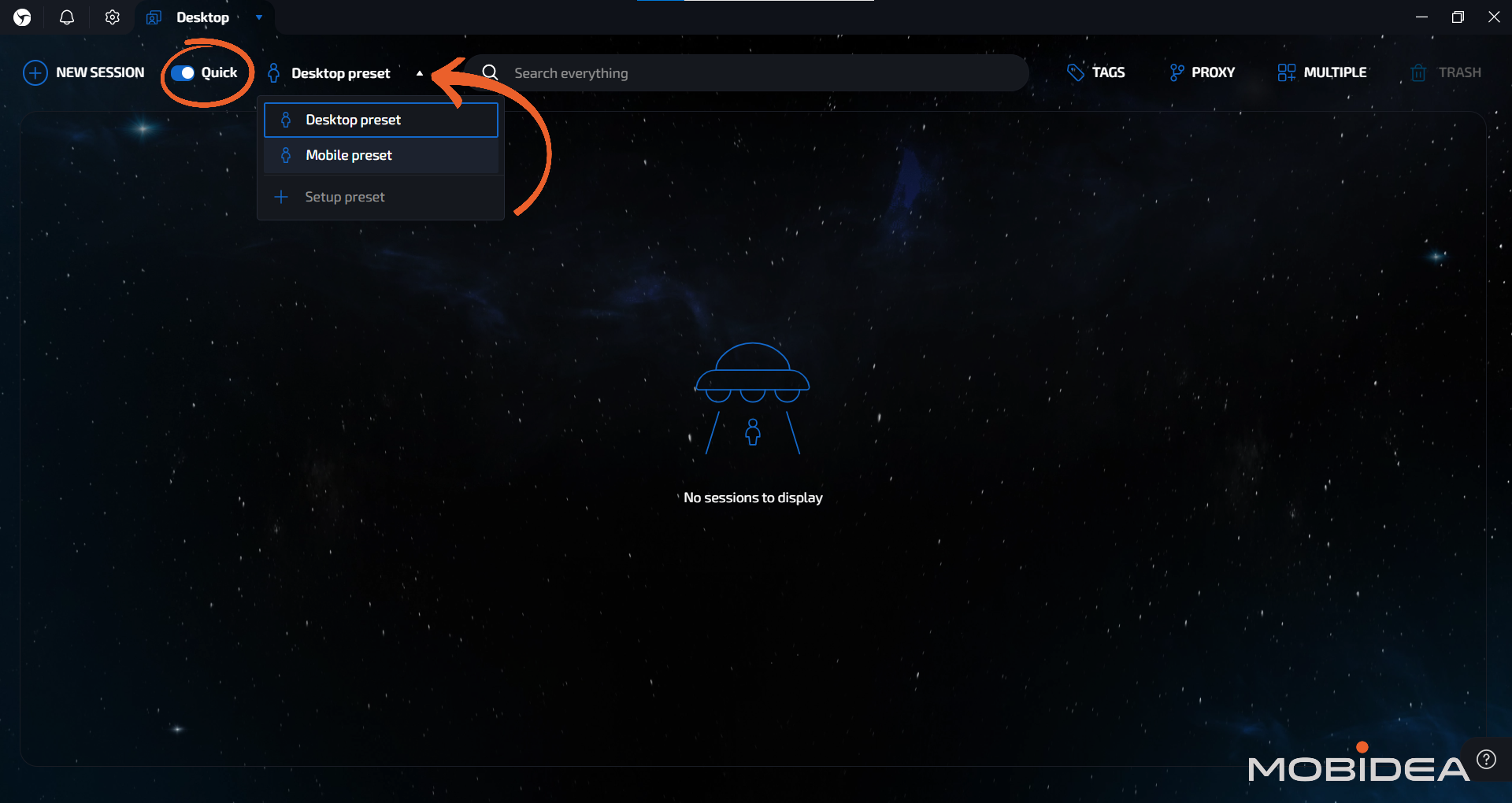
Let’s try the desktop setup first.
Click on NEW SESSION, and a new window will open up for you.
General Configuration
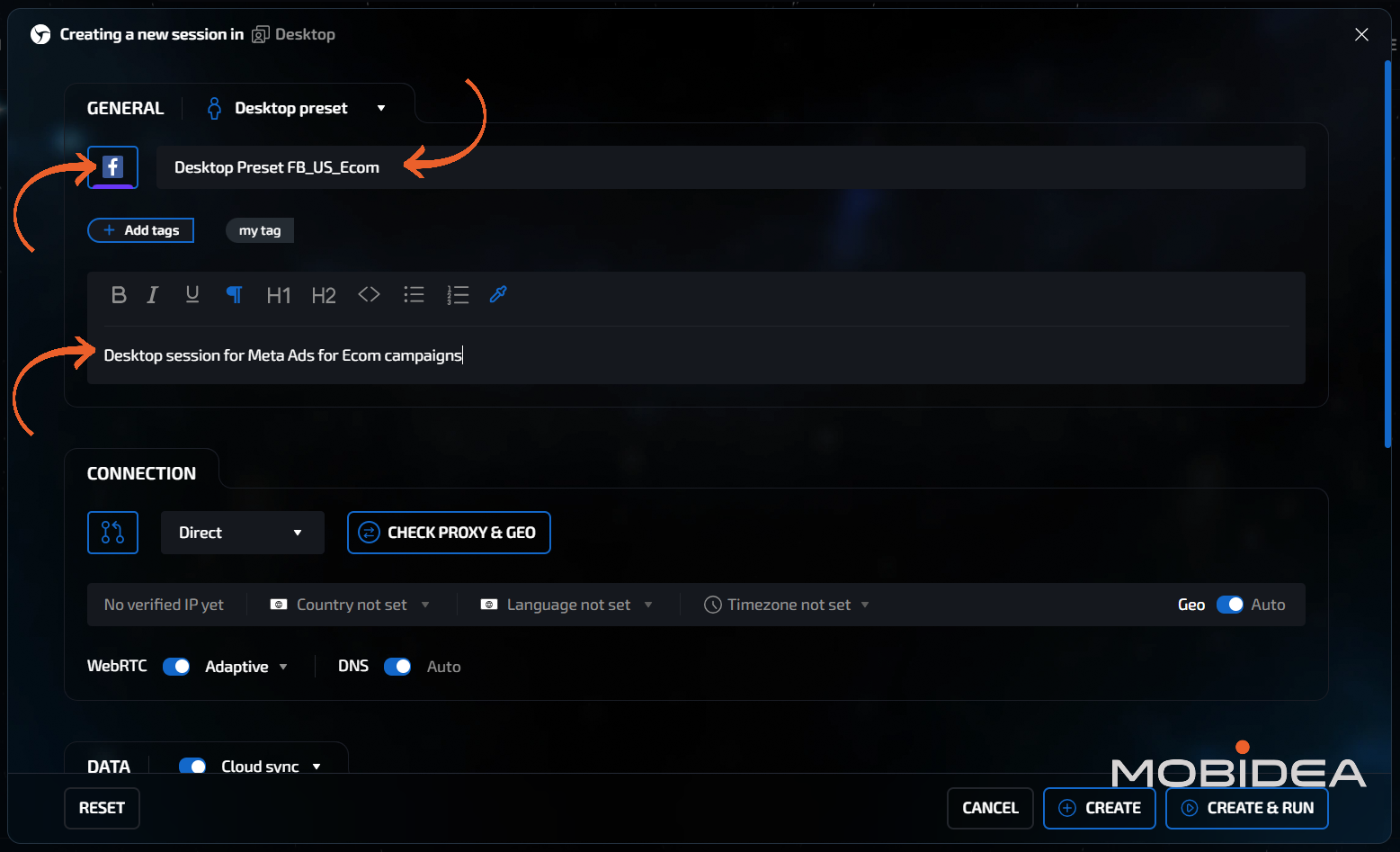
Under the General section, there’s the option to change the icon. I recommend you use it as it’s a quick visual way to identify browser sessions.
Options for icons include all social media icons, messaging apps, store apps, and more.
Then of course, there’s the session name, and the description. You can also add tags to make it easier to search for the session in your list.
Connection Configuration
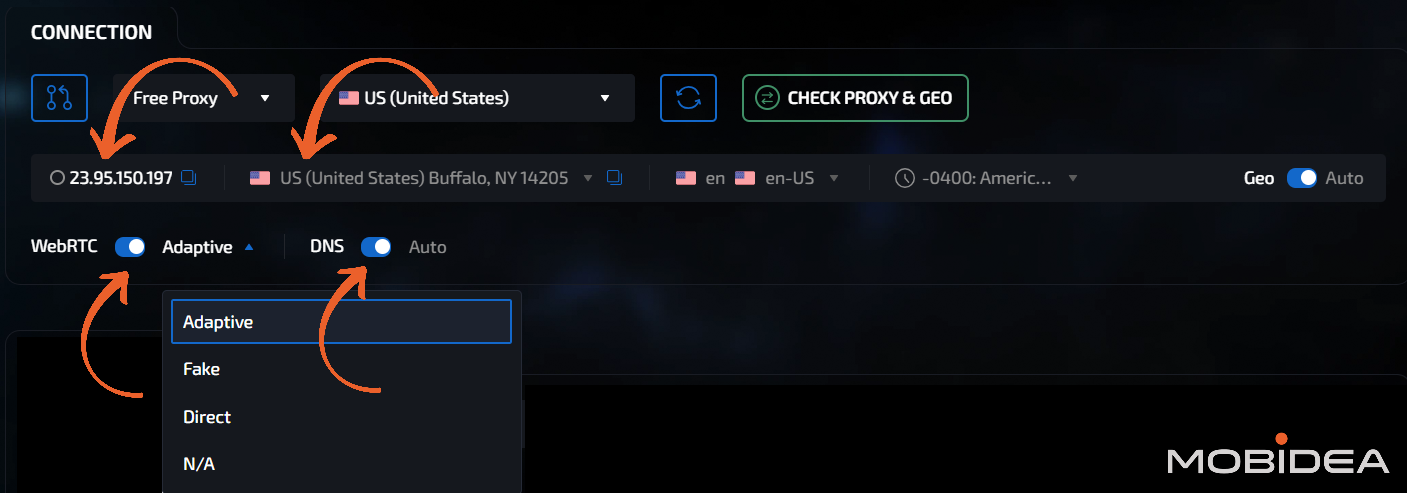
The icon at the left corner (encircled in the image below) is for the proxy manager.
If you haven’t set-up your proxy manager yet, no worries—you can always set-up the proxy connection from this window.
Choose from any of the available protocols and systems, including (but not limited to):
- SOCKS5: Full traffic routing, most common choice
- HTTP: Web browsing only
- SSH: Encrypted tunnels
- Tor: Maximum anonymity, slowest speed
I’ll be using my free proxies here.
Select the country and then click on the “Check Proxy & Geo” button to verify that the proxy works.
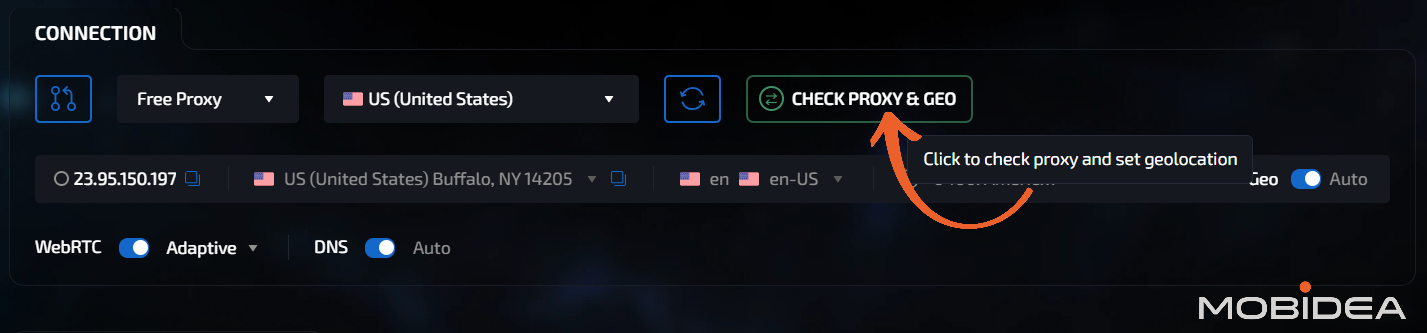
Your proxy details will then be confirmed.
Once you’re satisfied, you can edit the WebRTC and DNS options.
Data Configuration
The very first option you’ll see is the Cloud Sync. It’s main purpose is to sync browser activities online so that even if you use a different device, the session data remains the same.
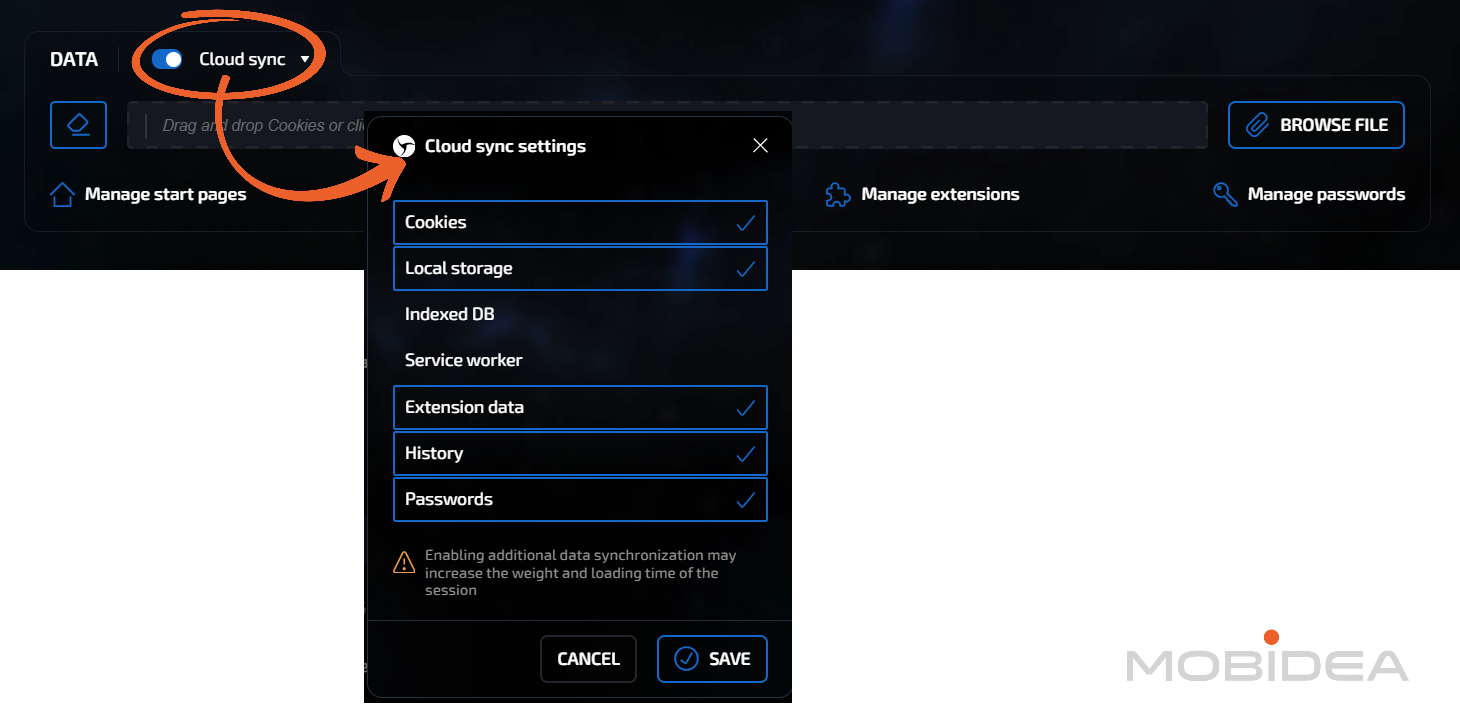
The icon below that is the ERASE button. Be careful with this as it will erase all cookies for your session.
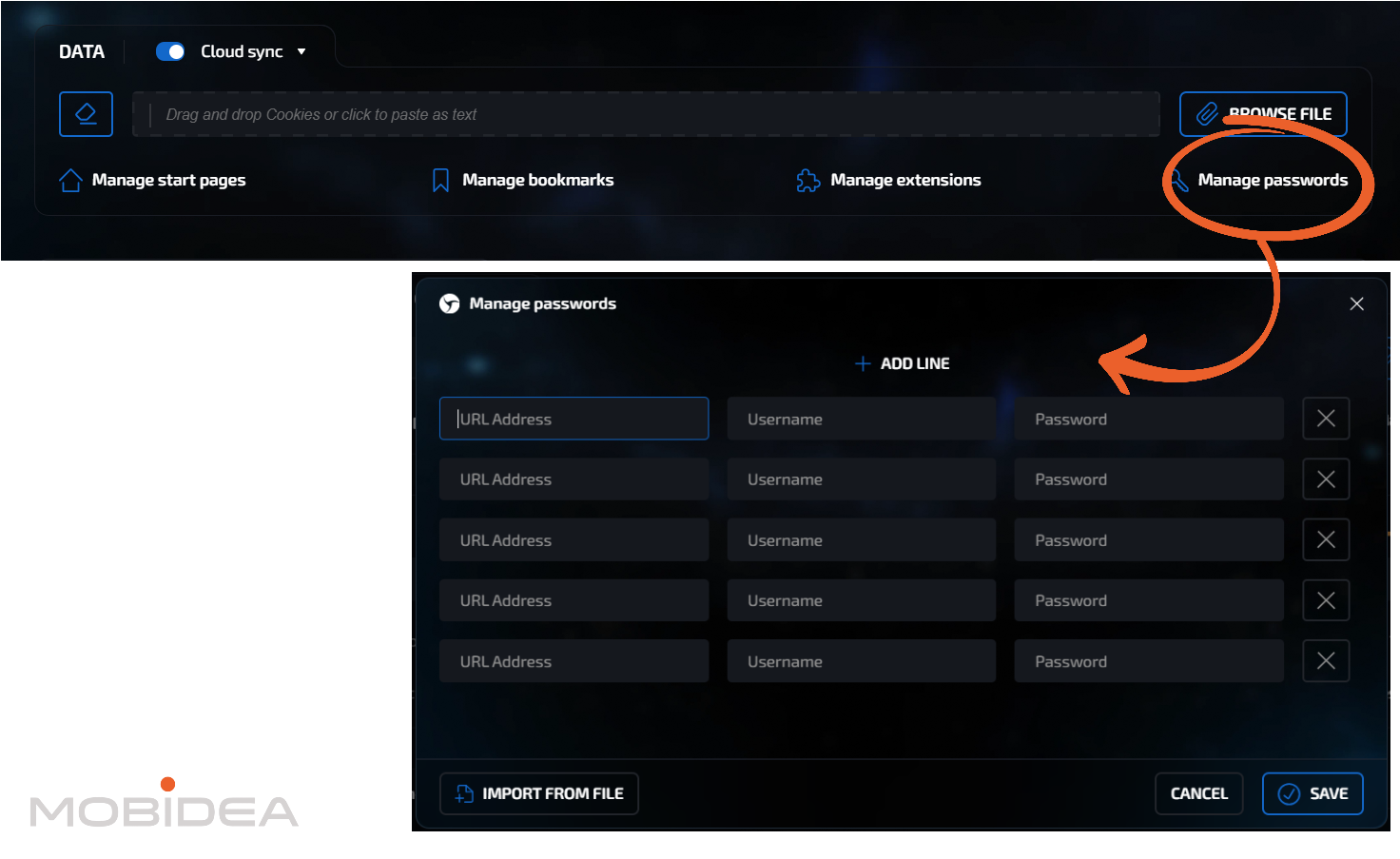
In the field provided, you can paste your cookies. You can also import a txt file by clicking on Browse File or dropping a file on the field.

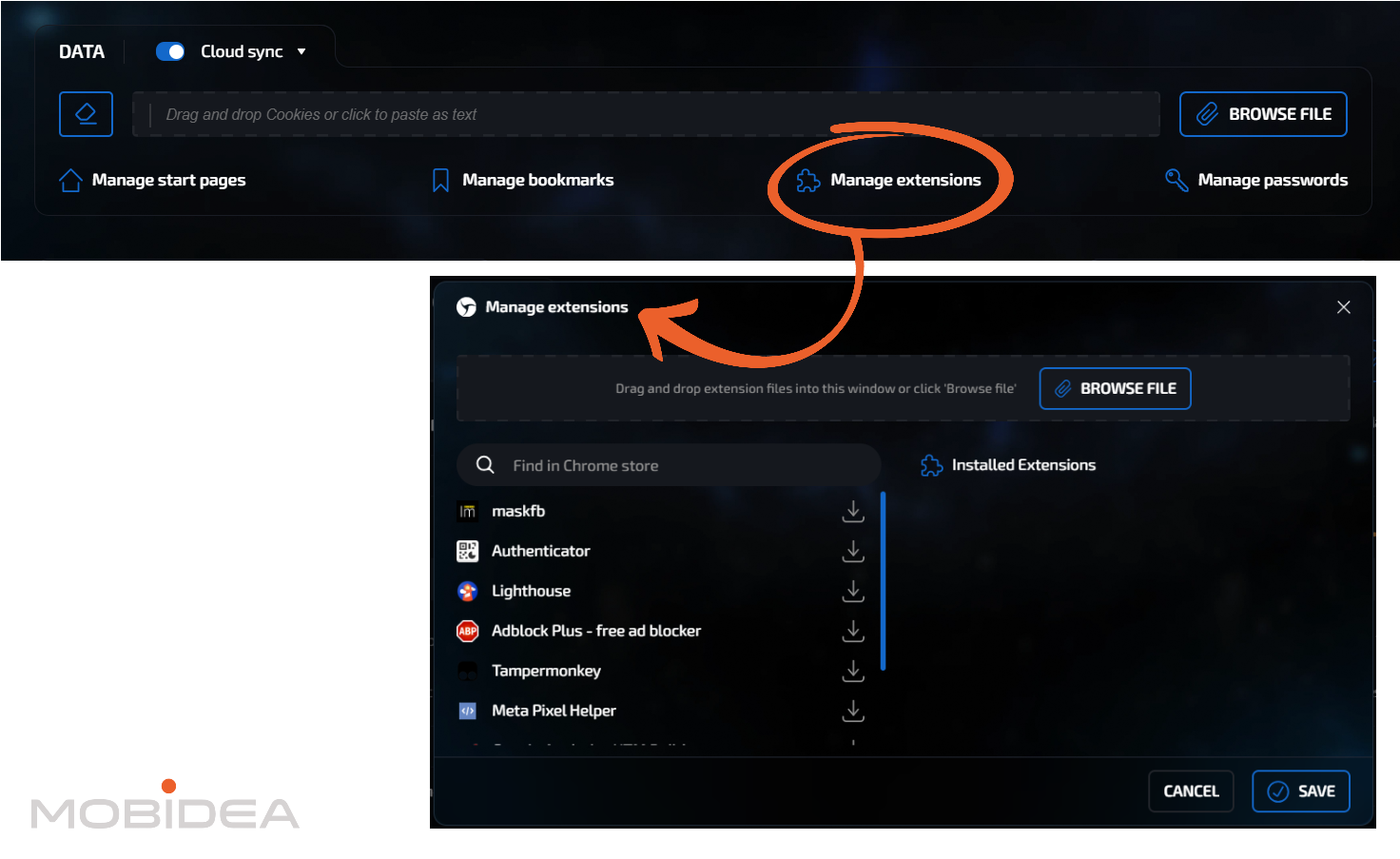
Now let’s proceed to adding everything that will make a session look legit:
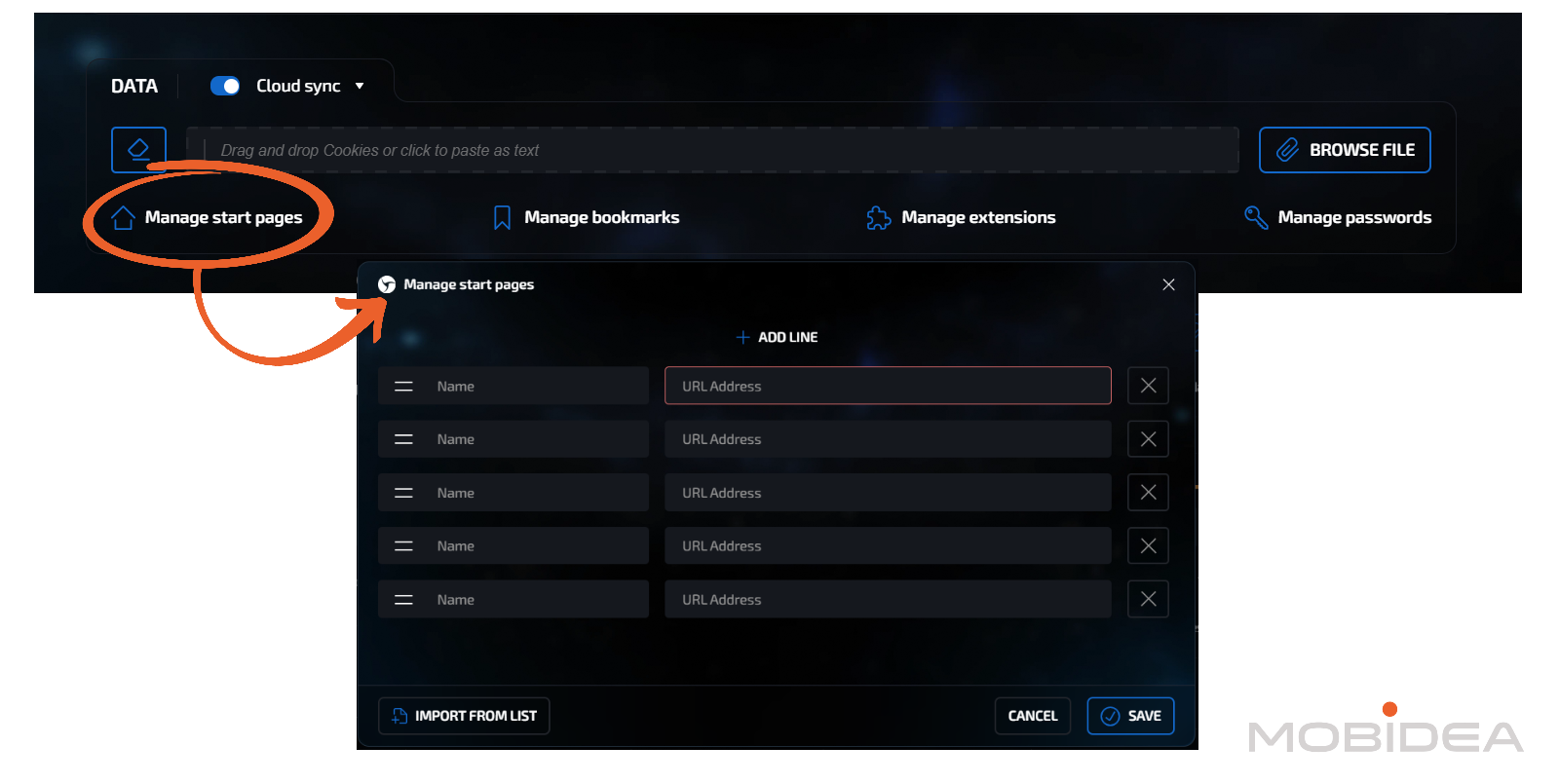
- Manage start pages
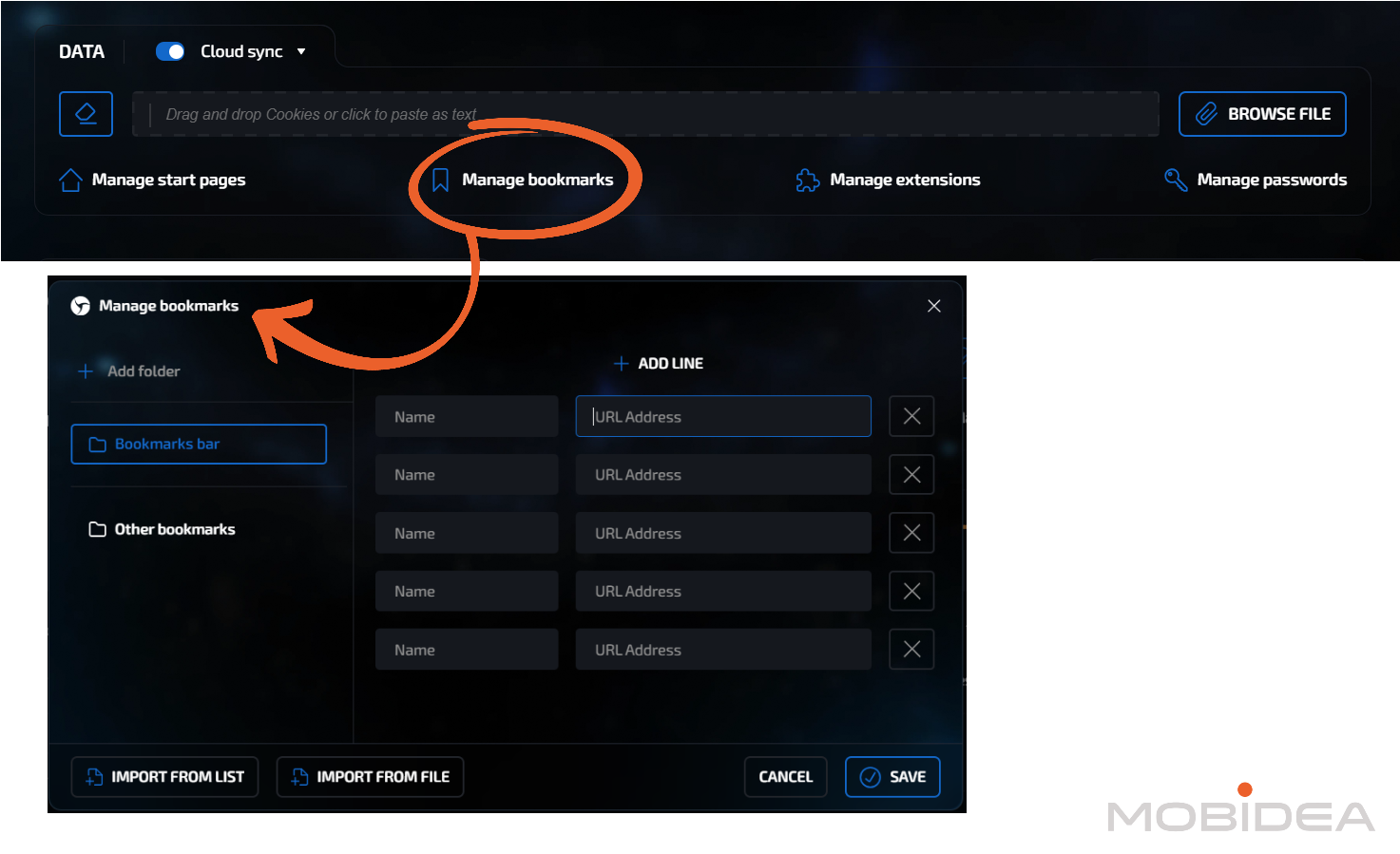
- Manage bookmarks
- Manage extensions
- Manage passwords
Fingerprint Configuration
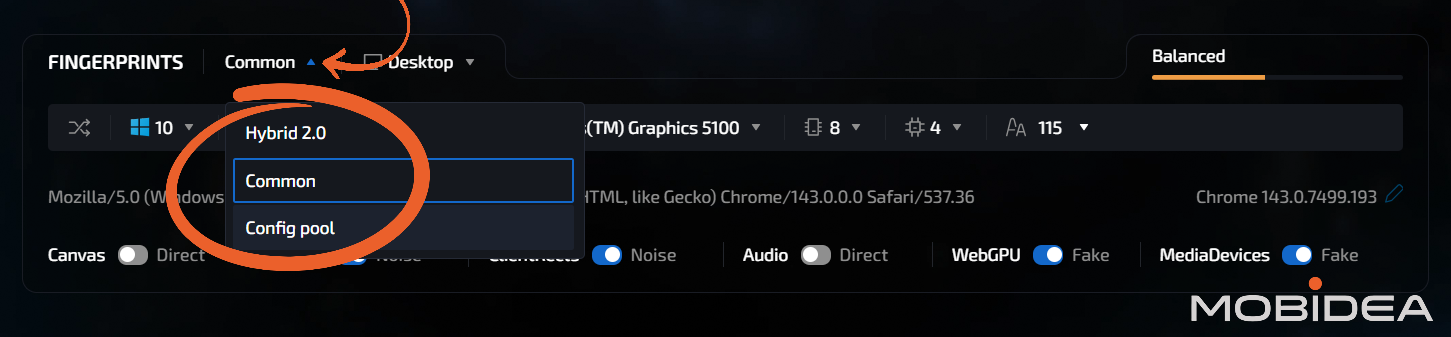
You have three approaches here:
Option 1 – Common: This is the standard mode wherein Linken Sphere generates the fingerprints for you.
Option 2 – Hybrid 2.0: This uses your computer as basis for the configuration to reduce noises. It also uses your computers’ hardware to create a unique fingerprint.
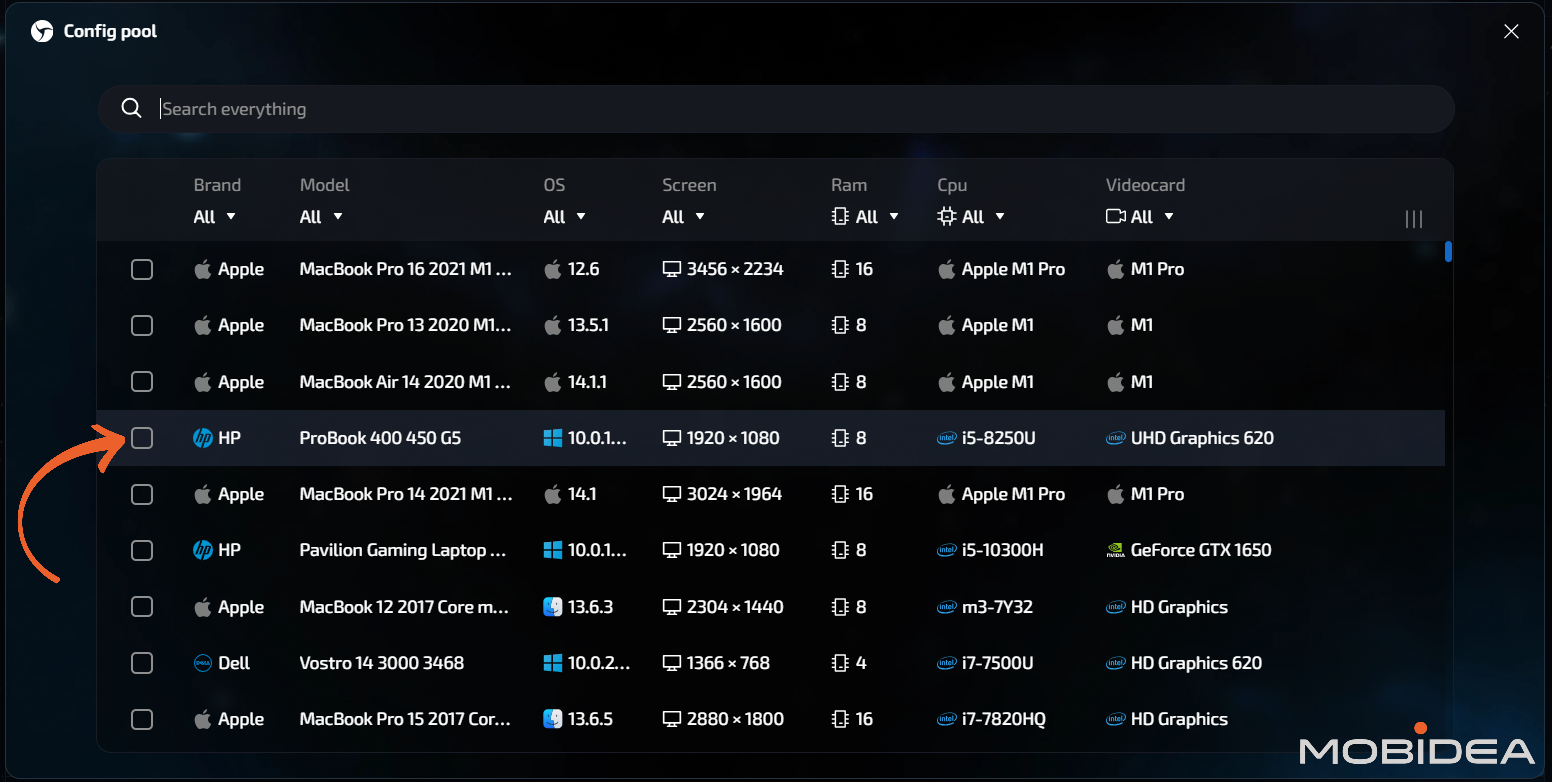
Option 3 – Config Pool: This automatically configures all fingerprint parameters with smart variations. Easiest option for beginners.
If you choose the Config Pool, you’ll be asked to choose from the list, as shown below:
You can also edit other settings (WebGL, WebGPU, etc.).
Keep in mind that the more unique your fingerprint becomes, the more obvious that it’s a fake. So try not to over-edit your fingerprint.
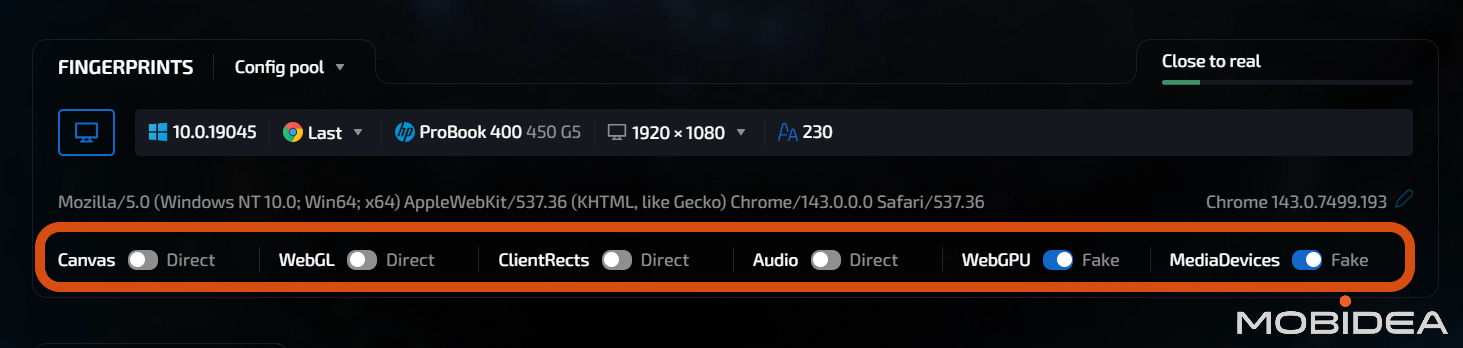
There’s a meter at the upper right corner of the section box, which tells you whether your fingerprint is:
- Close to real
- Balanced
- Too unique
Finally, the miscellaneous section is at the bottom which basically asks you whether you want to save your session history, save passwords, and so on.
Once you’re all set, click on either Create or Create & Run.
I’m pretty used to Chrome, so I had no issues using Linken Sphere’s browser.
What I had an issue with was that I had to answer about a dozen Captcha for Google since the IP was getting flagged. That’s the downside of using a free proxy, so I really, really recommend buying proxies instead.
In all fairness, this only happened to me when using US and CA proxy.
Apart from that, I experienced no further issues.
Mobile Browser Emulation
The process here is pretty much the same as when setting up the Desktop Browser sessions.
The main difference is under the Fingerprint configuration.
You can configure:
- OS: Android or iOS
- Browser: Chrome or Safari (for iOS only)
- Device (depends on the OS)
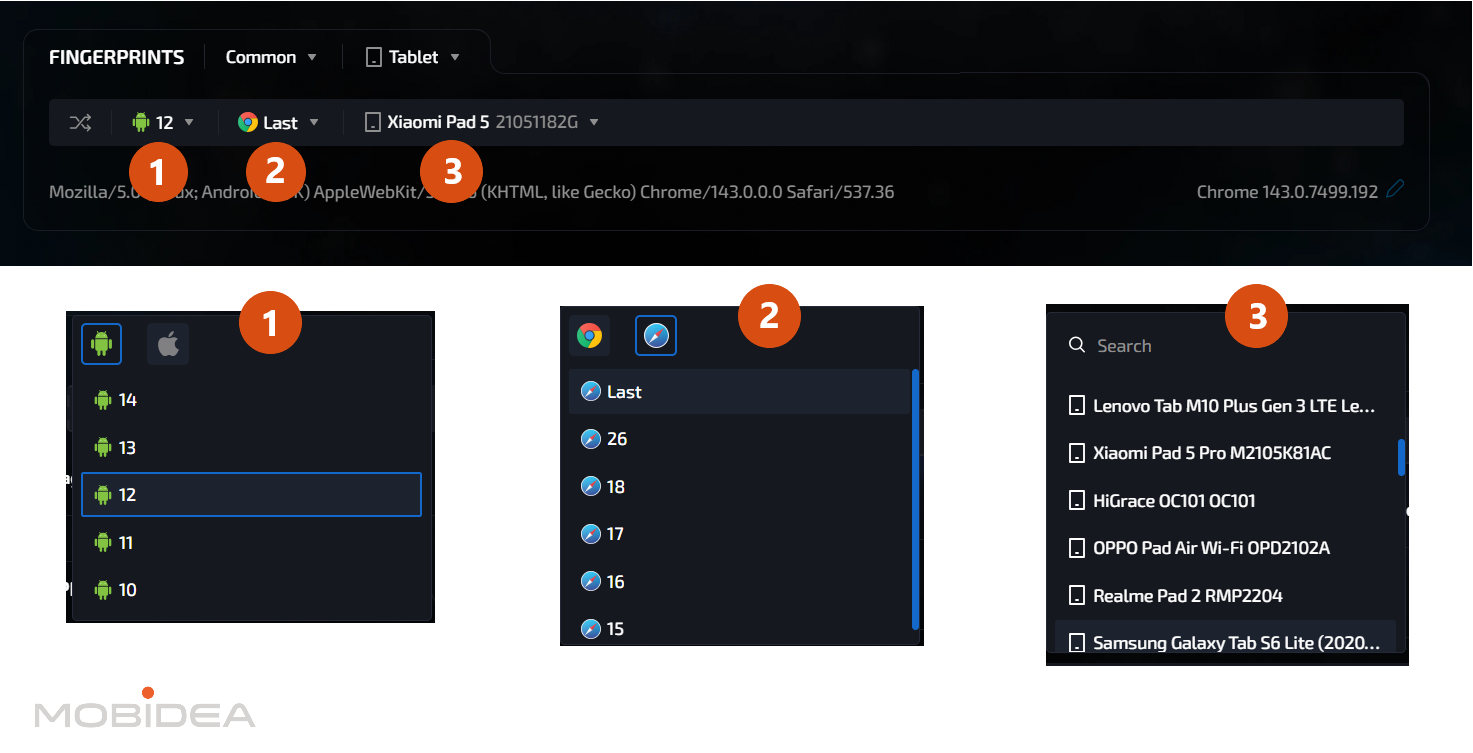
The downside here is you can’t use Hybrid 2.0 or the Config Pool as that’s for desktop sessions only.
If you don’t want to set it up yourself, click the randomize button to get new fingerprint settings.
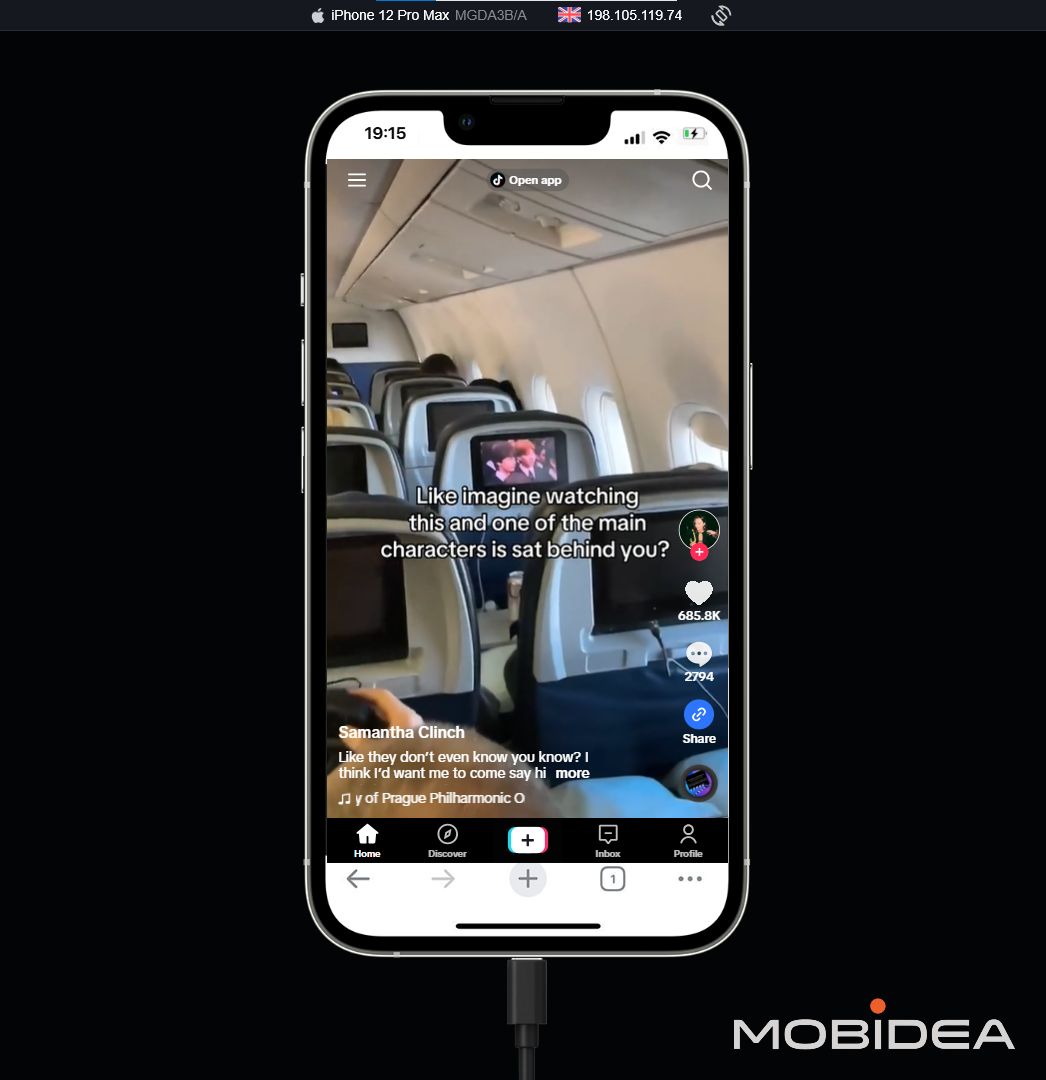
Here’s how the interface looks when running a mobile browser session:
Main Dashboard
Once you’ve set-up several session profiles, your dashboard will look like this:
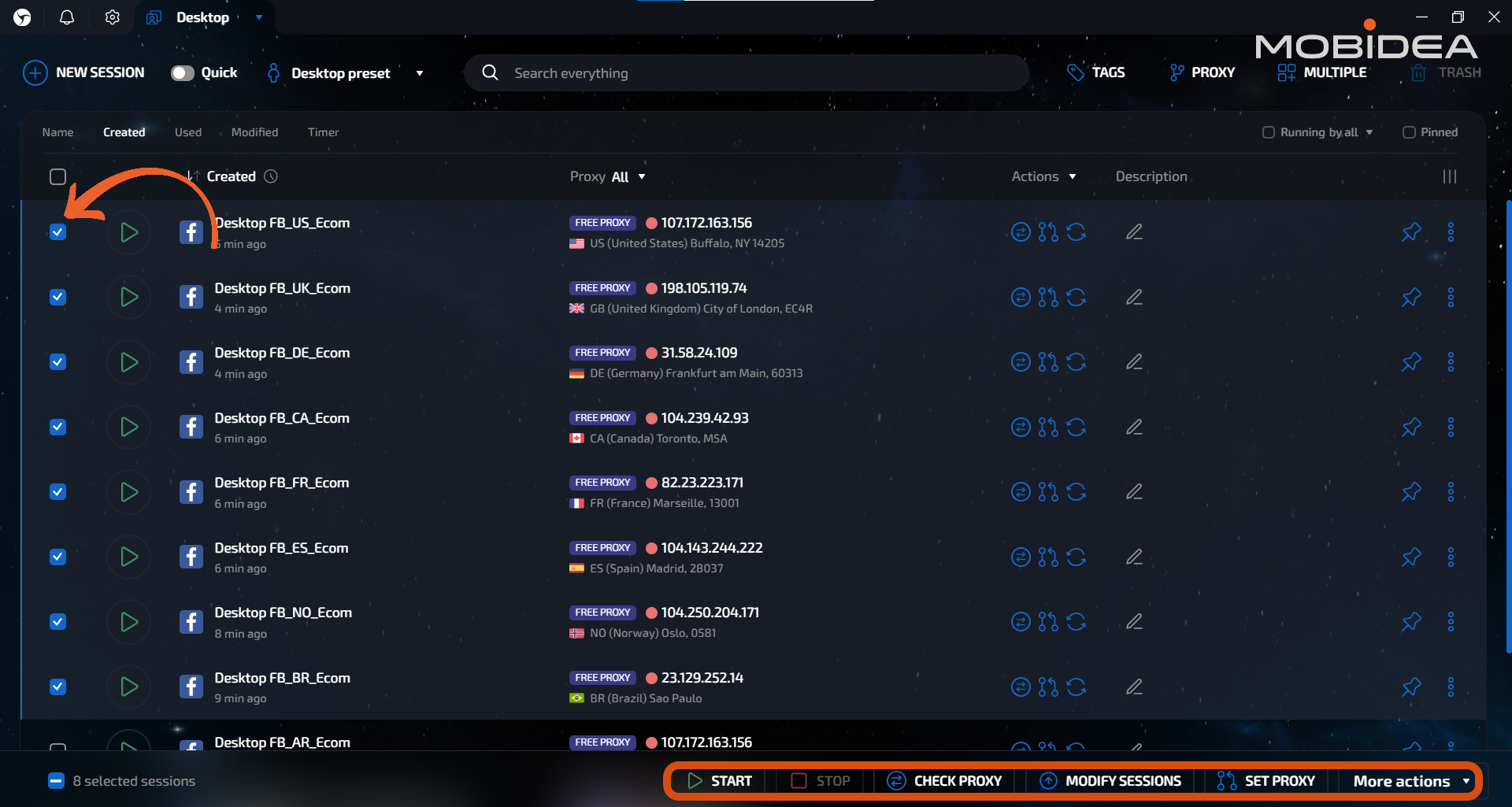
For bulk operations, click on the checkbox next to the profile and choose from any operations listed at the bottom of the interface.
You can run several sessions simultaneously with ease.
Up to how many can it run, you ask?
Well, it really depends on how powerful your machine is.
I opened 15 sessions all at once and experienced no lagging, even when browsing with multiple tabs per instance.
Best Practices When Using Linken Sphere
These best practices are actually applicable, no matter what antidetect browser you’re using.
- Profile Warm-Up: Don’t jump straight into your main activities. Browse normally first, accumulate some cookies and history. New profiles with zero activity look suspicious.
- Proxy Quality: Invest in good residential or mobile proxies. Cheap datacenter IPs get flagged quickly on platforms like Facebook or Google.
- Regular Usage: Launch profiles regularly to keep sessions active. Dormant accounts can trigger security reviews.
- Backups: Export profile configs periodically. Store them separately in case something goes wrong.
The platform is powerful but expects you to know what you’re doing.
The browser interface doesn’t guide you—you need to understand the concepts and make smart configuration settings, or let the smart settings do the work.
Real-World Applications for Linken Sphere
Affiliate Marketing
This is where Linken Sphere sees heavy use.
Affiliate marketers need to run multiple ad accounts to test offers, split budgets, and work around platform spending limits.
A typical setup might include:
- 20-30 Facebook ad accounts for testing different audiences and creatives
- 15-20 Google Ads accounts to bypass daily spend caps
- Multiple accounts on native platforms like Taboola and Outbrain
- Separate research profiles to spy on competitors without revealing interest
The profile isolation prevents platforms from linking accounts through browser fingerprints.
Combined with quality proxies and diverse payment methods, it significantly improves account survival rates.
That said, fingerprinting is just one piece.
Accounts still get banned for aggressive tactics, policy violations, or suspicious payment patterns.
Linken Sphere handles the technical side—the rest is on you.
E-Commerce Multi-Store Operations
Amazon, eBay, and Etsy aggressively enforce single-seller policies.
Get caught running multiple stores, and they’ll ban your entire network.
Linken Sphere helps by:
- Keeping each store completely isolated
- Enabling testing across different regions with matching proxies
- Separating brands to avoid policy violations
- Spreading risk so one suspension doesn’t kill everything
E-commerce particularly benefits from stable sessions.
Stores need consistent logins from the same apparent device—sudden changes trigger account reviews.
The platform maintains this consistency well.
Social Media Management
Agencies managing dozens of client accounts face constant friction from platform security systems.
Linken Sphere enables:
- Complete separation between client accounts
- Team access without sharing passwords
- Consistent login environments that don’t trigger security prompts
- Native platform interfaces instead of risky third-party tools
Better suited for manual management than bot automation.
Platforms increasingly crack down on automated posting, making manual workflows through legitimate browser sessions safer.
Traffic Arbitrage
Media buyers need extensive testing capacity to find profitable traffic/offer combinations. Linken Sphere helps by:
- Enabling campaign testing across multiple accounts
- Bypassing per-account spending limits
- Quickly launching new accounts when bans happen
- Analyzing competitor campaigns without leaving tracks
The bulk operations and local API align well with arbitrage workflows involving high volumes of repetitive tasks.
Cryptocurrency and Airdrops
Crypto projects restrict participants to single wallets to prevent farming.
Linken Sphere enables:
- Managing multiple wallet profiles with isolation
- Participating in airdrops across numerous accounts
- Operating multiple exchange accounts
- Interacting with DeFi protocols that limit users to single addresses
The SSH tunnel and Tor support adds extra anonymity layers beyond standard proxies.
Agency Client Management
The team features shine here:
- Strict separation between client accounts
- Granular permissions for team members
- Easy client transitions without password exchanges
- Centralized backup of client configurations
Desktop workspaces organize profiles by client, making it simple to switch contexts without confusion.
Linken Sphere Pros and Cons
After testing Linken Sphere across different use cases, here’s the honest breakdown of what works and what doesn’t.
Here’s an overview:
 Linken Sphere | Ratings (4.3 out of 5 stars) | ||
Ease Of Use 85% 93% Pricing 86% Support 80% Overall Quality 86% | Pros
Cons
| ||
Now for the details. No sugarcoating—just what you need to know before committing.
Pros
- Sophisticated Fingerprinting: The hybrid fingerprint system is genuinely good. Instead of random values that create impossible device combinations, it analyzes your real hardware and generates believable variations. This produces fingerprints that pass advanced detection systems better than competitors using purely random generation.
- Complete Profile Isolation: Session separation is rock-solid. Each profile operates independently with zero data leakage. If one account gets banned, others remain unaffected.
- Mobile Browser Emulation: The platform simulates mobile browsers from your desktop. Useful for testing mobile campaigns or managing accounts on mobile-focused platforms without needing actual devices.
- API-Based Automation: Linken Sphere integrates with Puppeteer, Selenium, and Playwright through its Local API, enabling programmatic control over profile creation, session management, and bulk operations. Essential for scaling workflows beyond manual management, though it requires solid programming knowledge to implement effectively.
- Bulk Management: Creating 100+ profiles with templates and presets beats manual setup by miles. Essential for small agencies or mid-scale operations that don’t use automation.
- Local Storage Control: You can disable cloud sync completely and keep everything local. Great for users with strict data control requirements or handling sensitive client information.
- Team Collaboration: Profile sharing without exposing passwords works smoothly. Access controls let you restrict who sees what. Solid feature for agencies managing multiple clients.
- Full Chromium Features: Complete Chrome functionality including extensions, bookmarks, and developer tools. More convincing than stripped-down browser alternatives.
Cons
- Free Proxies Get Flagged: High traffic locations like US and CA get flagged by Google. Best to purchase proxies for such locations.
- Limited OS Support: The platform works on Windows and macOS, with no mobile or Linux versions available.
- No Built-In Auto Warmup Option: Unless you use automation through Local API, you’d need to manually warm up sessions. This is a downside especially if you don’t have ready-made cookies.
- Support and Documentation Can be Improved: Telegram and email only. Response times can vary from a few hours to a couple days depending on the complexity. The documentation doesn’t cover every workflow yet, so often, you’d need to rely on community forums instead of official help.
Linken Sphere Verdict
After extensive testing, Linken Sphere proves to be a capable anti-detect browser that delivers where it matters most—sophisticated fingerprinting, complete profile isolation, and reliable multi-account management.
The hybrid fingerprint technology genuinely works, passing standard detection systems while maintaining believable browser signatures.
Once configured, the system runs smoothly and reliably.
If you’re managing multiple accounts seriously and want precise control over fingerprinting without paying premium prices, Linken Sphere is worth trying.
The platform may not be the simplest option available, but it delivers solid antidetection technology at competitive pricing.
Start with the free plan today and see how it works for you.
Bookmark this page so you can come back when you’re ready to subscribe to the paid plans!
Using the code MOBIDEA20, you’ll get a 20% discount.
Linken Sphere Frequently Asked Questions
Does Linken Sphere guarantee account safety?
Account survival depends on combining proper fingerprinting (which Linken Sphere provides) with quality proxies, diverse payment methods, realistic activity patterns, and following platform policies.
The browser is one piece of a larger security picture, not a complete solution. So make sure you do your part!
What proxies work best with Linken Sphere?
- Residential proxies provide the best trust levels for high-risk platforms like Facebook and Google.
- Mobile proxies offer excellent trust since many real users access platforms from phones. Ideal for social media.
- ISP proxies balance cost and trust. Work well for e-commerce and less aggressive platforms.
Recommended providers that work with Linken Sphere:
- Sphere Proxy – Linken Sphere’s own proxy service offers 10GB for $30 (much cheaper than competitors at $56-68 per 10GB).
- Froxy – Official partner with 20% discount, 10M+ IPs across 200+ countries
- Webshare – Popular choice with straightforward integration
- ProxyWing – ISP proxies with cable connection on MaxMind
- GoProxy – 90M+ IPs, good for bulk operations
- Massive Proxies – Ethically sourced residential proxies with 99.8% success rate
- Cliproxy – Global residential pool with API support
Can teams share Linken Sphere profiles?
Yes, starting from the Pro plan ($160/month).
You can share profiles with team members, set access permissions, organize by desktop workspaces, and control who can view, edit, or launch specific profiles.
Is Linken Sphere detectable?
Linken Sphere’s fingerprinting passes standard detection systems (Pixelscan, BrowserLeaks) successfully.
Success depends on combining proper fingerprinting with quality proxies, realistic behavior, and smart operational practices.
The browser handles the technical side—you handle the rest.
How many sessions can I run simultaneously?
This depends on your computer’s hardware. You’re RAM and CPU determine how many you can run at once. A mid-range machine with 16GB RAM typically handles 10-20 active sessions comfortably.
Can I transfer profiles between computers?
Yes, through cloud sync or manual export/import. Enable cloud synchronization to automatically sync profiles across devices, or export configurations as files and import them on another computer for complete local control.


Can this ad network help affiliate marketers scale campaigns profitably? We'll discuss features, testing insights, and more in this EpicAds review.
Email deliverability killing your marketing campaigns? An email warm-up tool is the solution! Read this Warmy Review and see how it can improve your deliverability rates.
Is Yeesshh a hidden gem worth trying, or is there a reason it remains in the shadows? Find out in this in-depth Yeesshh Review.